 CogniDev
3 · Playbooks
How a run works, end to end
A playbook is a run: a piece of work broken into steps, with your approval needed before anything is written. They all work the same way. This section covers that shape first, then walks through three of them, screen by screen.
What every run does
Whatever a playbook is for, it goes through the same steps.
| Step | What happens |
|---|---|
| It states its scope | Before it starts, the run tells you what it covers and what it will not do. Saying what is out of scope is what stops the work spreading once it is under way. |
| It asks what the code cannot tell it | A short set of questions, each one saying what your answer will cost you. See the next topic. |
| You approve the context | Every answer on one page, next to the analysis it was read against. Nothing is planned until you press Start planning. |
| You approve the plan | The full plan before a single file is written: every project, every change, every task in order. |
| One commit per task | Each task edits a group of files, compiles them, and commits. If one fails the damage stops there, and you can stop and pick it up again rather than start over. |
| It re-reads what it wrote | The same pass runs over the generated code, so you review the output the way you reviewed the input. |
| It accounts for itself | Which of its own checks passed and which it could not confirm, your answers listed back, where the time went, and what it cost. |
Where there is no toolchain to compile against, tasks are committed and marked
ungated rather than reported as a clean build. There is an example in
Building an application from a description.
The questions a run asks first
Before it plans anything, a run asks you the things the code cannot tell it. Each question says what each answer will cost you.
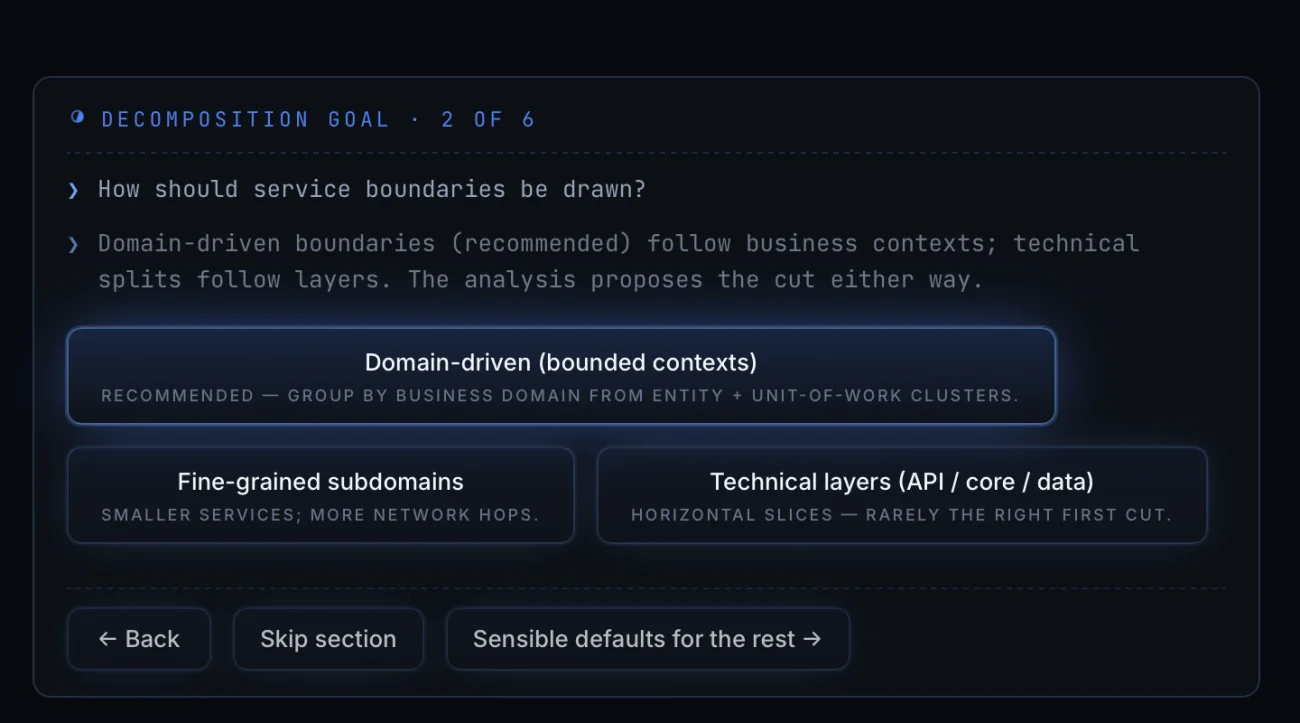
Take the one that decides how a monolith gets cut up — the screen is further down, in Splitting a monolith into services. It offers Domain-driven (bounded contexts), Fine-grained subdomains, or Technical layers (API / core / data). Each one says what it costs: smaller services mean more network hops, and horizontal slices are "rarely the right first cut". The recommended option is not a default. It is worked out from the entity and unit-of-work clusters already in your code, which is what its own line says.
Why it asks at all
Take "reason for splitting". The code genuinely cannot answer it. Splitting so teams can deploy independently gives you different boundaries from splitting so one failure cannot take down the rest. Only your team knows which one you are buying, so the run asks. Once you have answered, it holds you to that answer for every decision after it.
Every question also offers Skip section and Sensible defaults for the rest, so you can answer the ones you care about and let the run take its recommendation on the others.
Upgrading a .NET application in place
This run moves an application onto a current .NET without redesigning it. Every screen it shows you, in order.
The brief
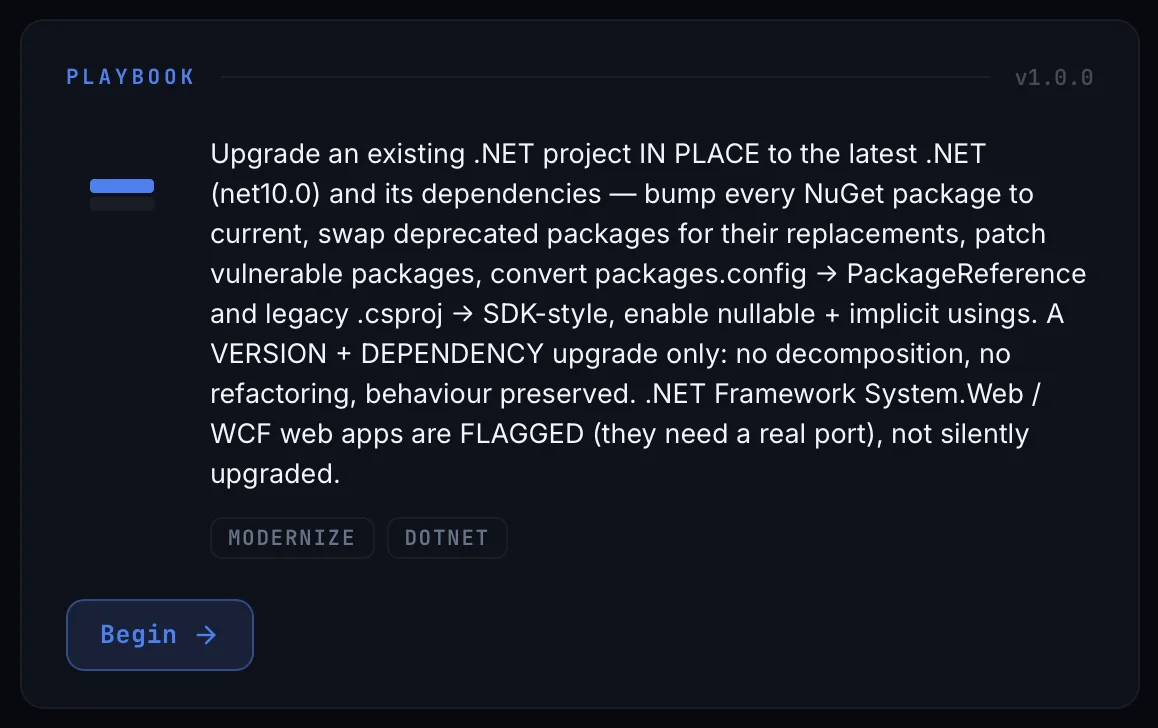
Bump every NuGet package, swap deprecated packages for their replacements, patch
vulnerable ones, convert packages.config to PackageReference
and legacy project files to SDK-style, turn on nullable and implicit usings. Then the
limits: a version and dependency upgrade only, no decomposition, no
refactoring, behaviour preserved. .NET Framework System.Web and WCF web apps
are flagged because they need a real port, not quietly upgraded.
Where the work lands
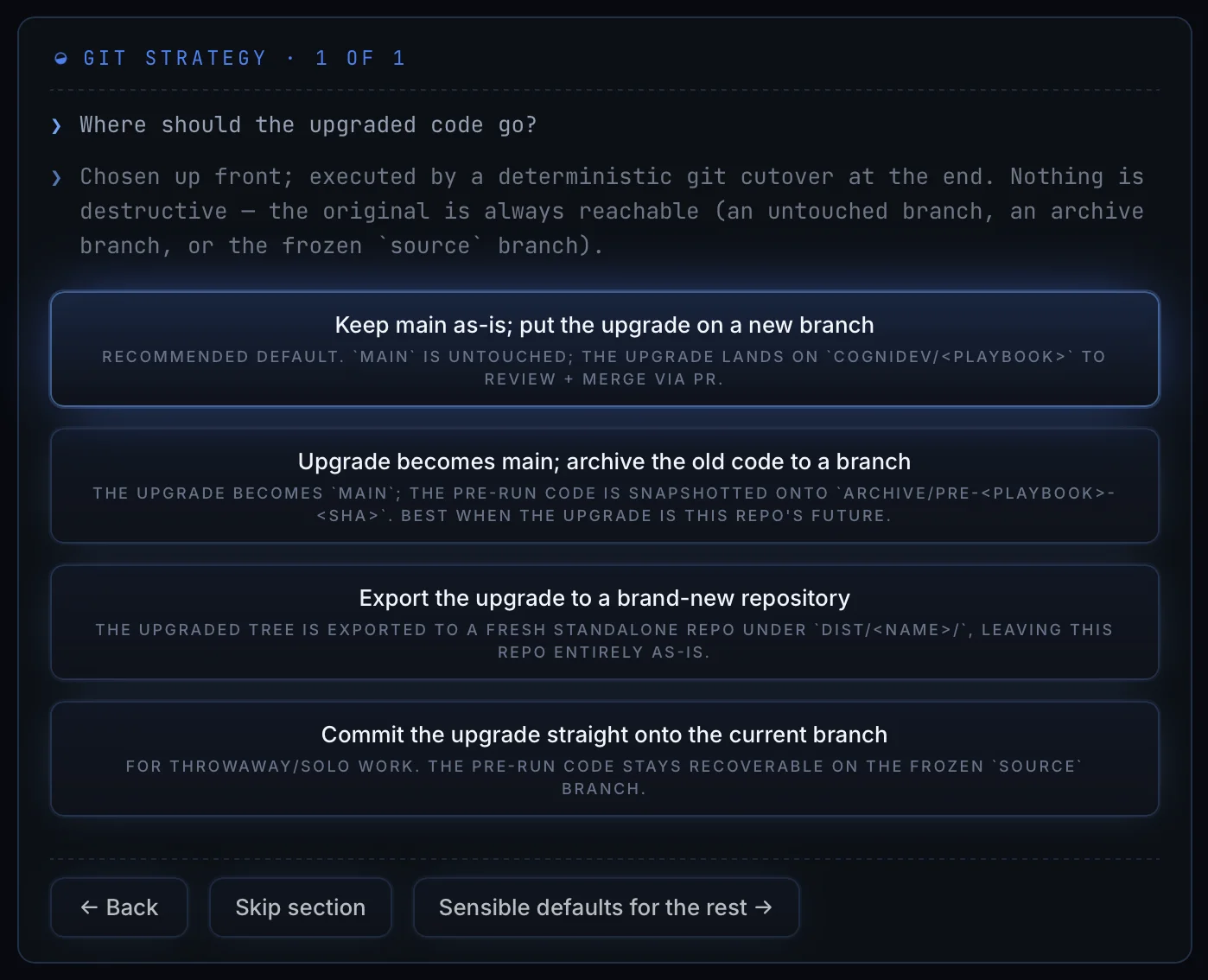
Keep main as it is and put the upgrade on a new branch, which is the recommended default. Make the upgrade main and archive the old code. Export to a brand-new repository. Or commit straight onto the current branch. Nothing here is destructive: the original is always reachable, on an untouched branch, an archive branch, or a frozen source branch.
Target framework
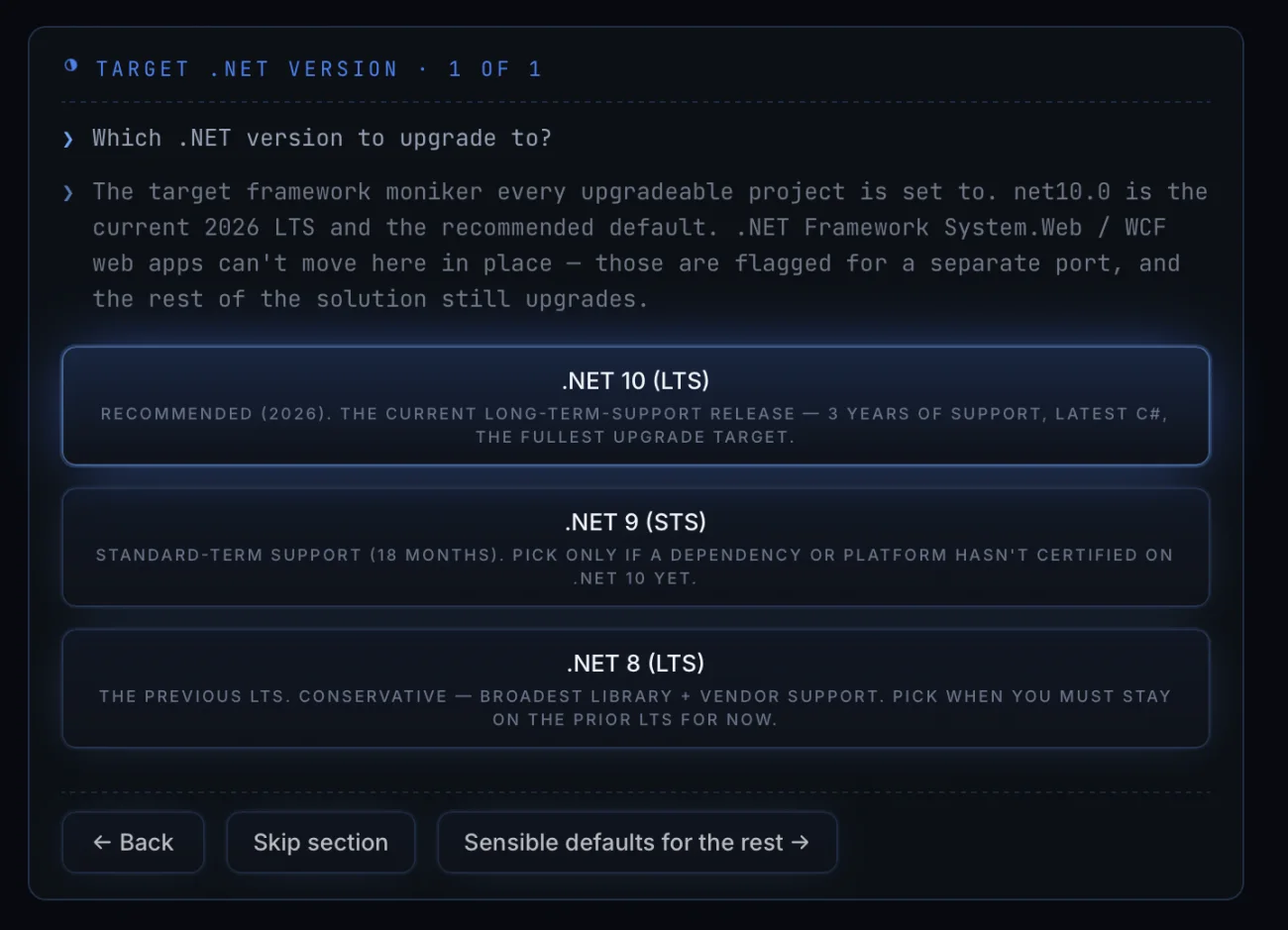
.NET 10 is the current long-term-support release and the recommended default, with three years of support. .NET 9 is standard-term support and worth picking only if a dependency or platform has not certified on 10 yet. .NET 8 is the previous LTS, for when you have to stay on the prior line.
Vulnerable packages
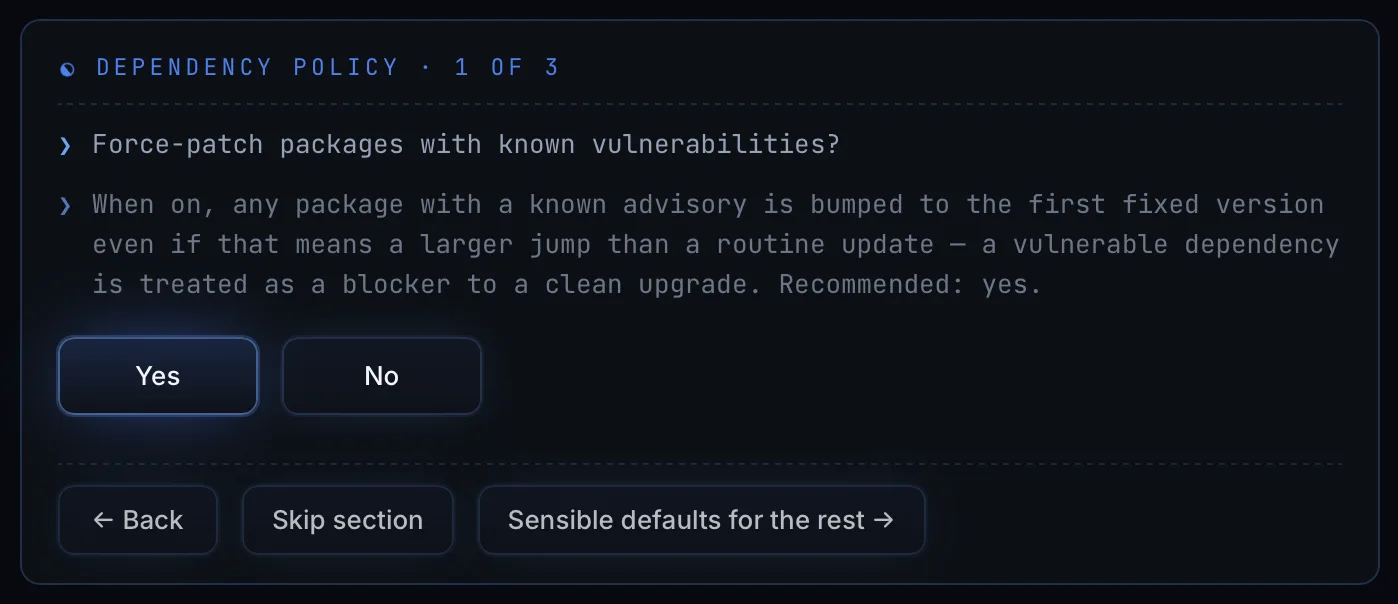
With this on, any package with a known advisory is moved to the first fixed version, even when that is a bigger jump than a routine update. The question explains why it recommends yes: a vulnerable dependency is treated as a blocker to a clean upgrade.
Language settings
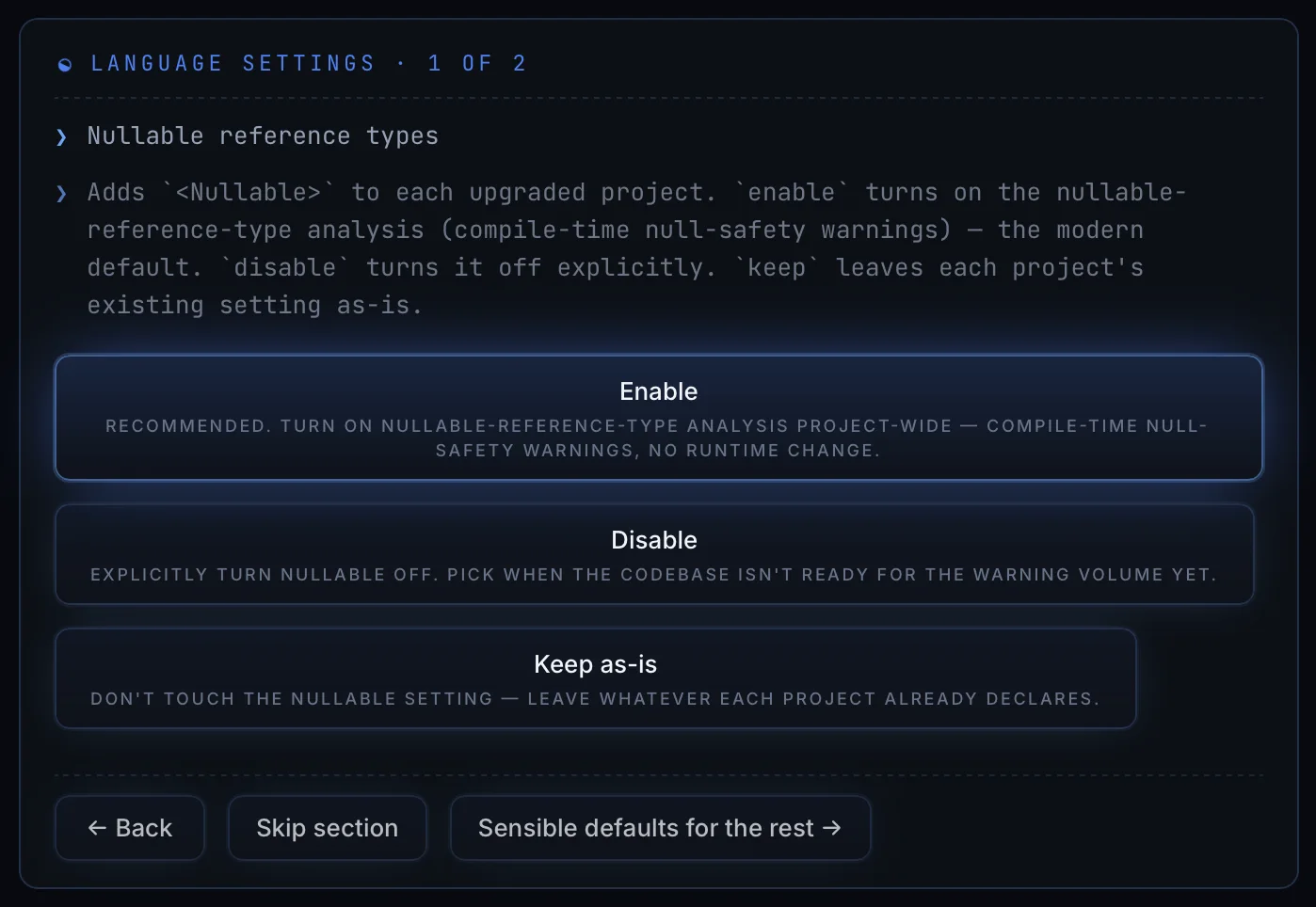
Turning nullable on adds compile-time warnings about null safety and changes nothing at runtime. The option says so, so you are not guessing at the risk.
Project format
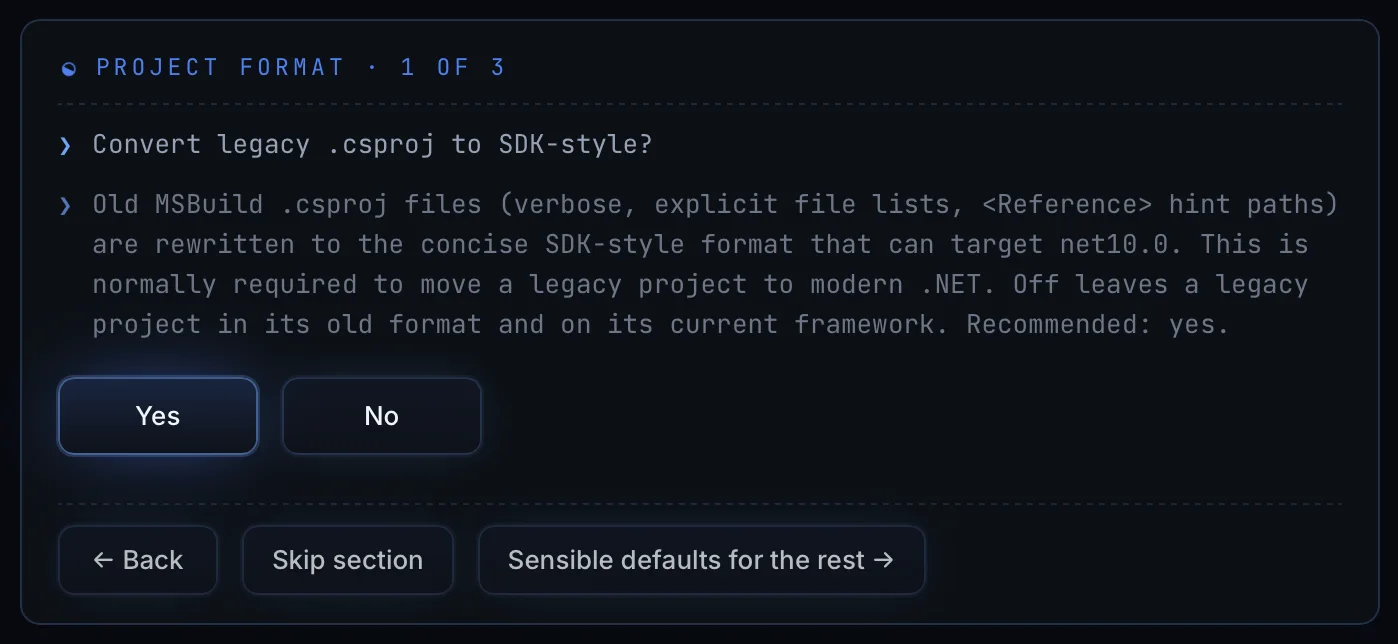
Old project files list every source file and carry reference hint paths. The SDK-style format does neither, and you normally have to convert to it before a legacy project can target modern .NET at all.
Dependency format
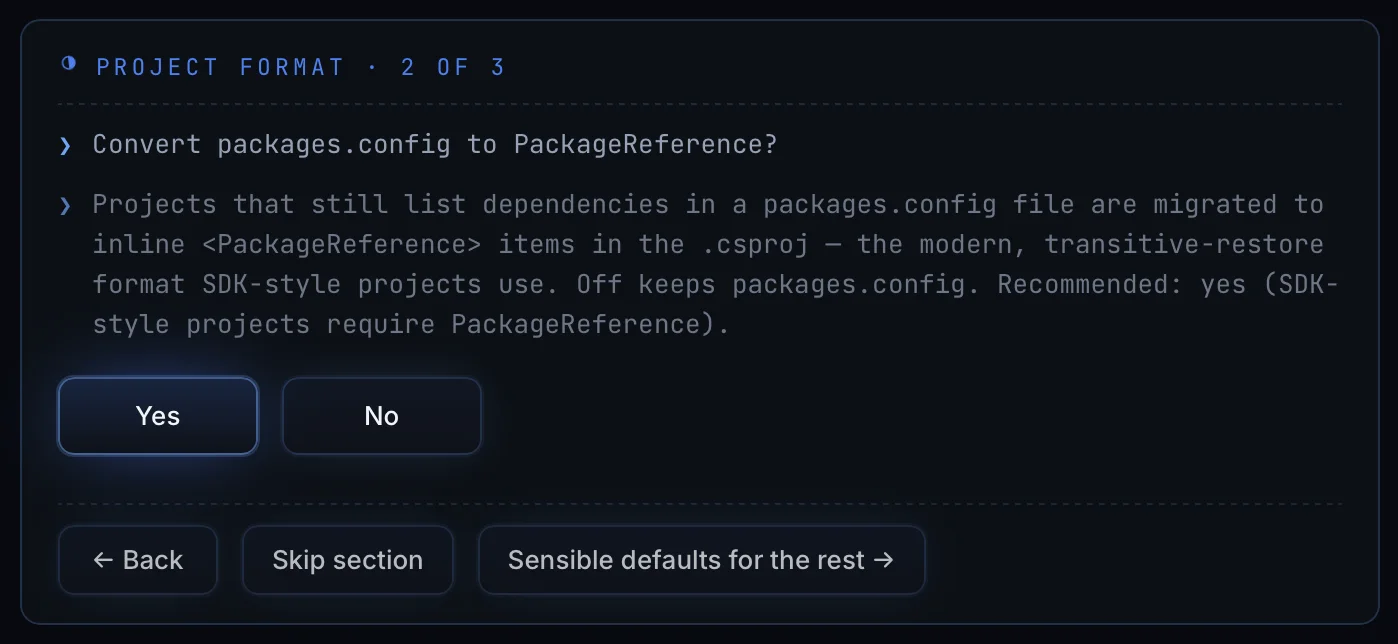
PackageReference resolves transitive dependencies for you, and
SDK-style projects require it.
Verification
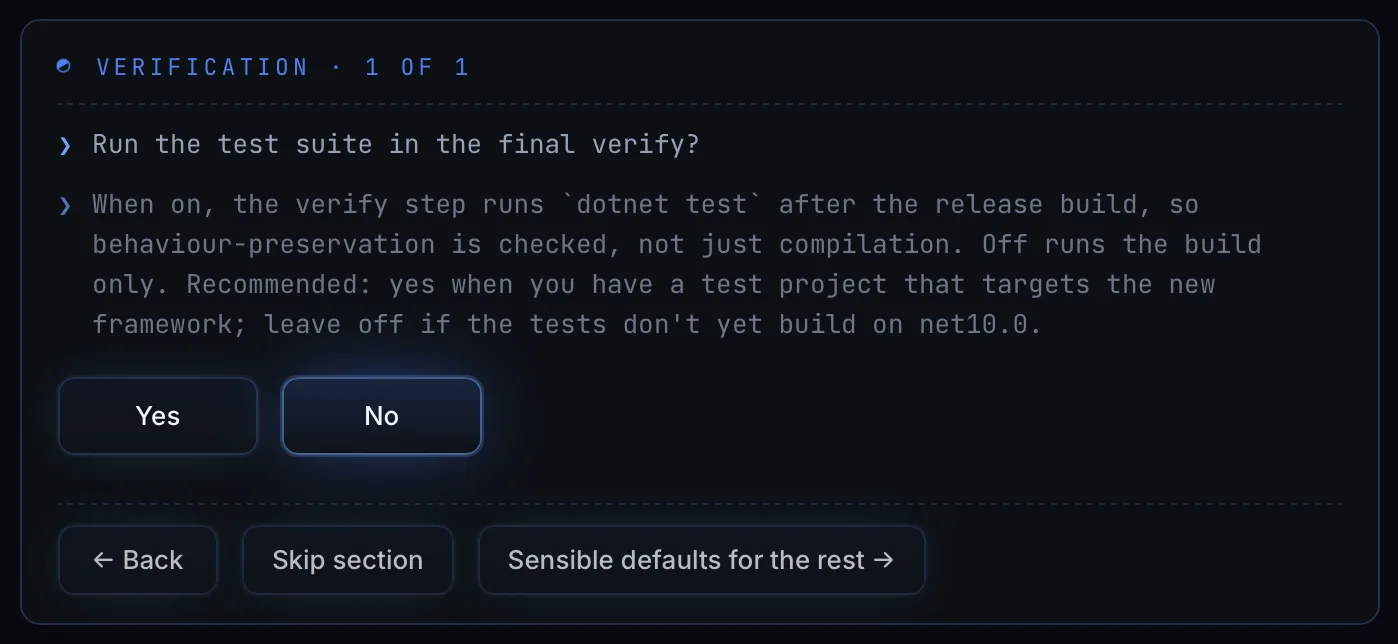
Running the tests checks behaviour rather than just compilation. What the run recommends depends on whether your test project builds against the new framework yet.
The plan, before anything is applied
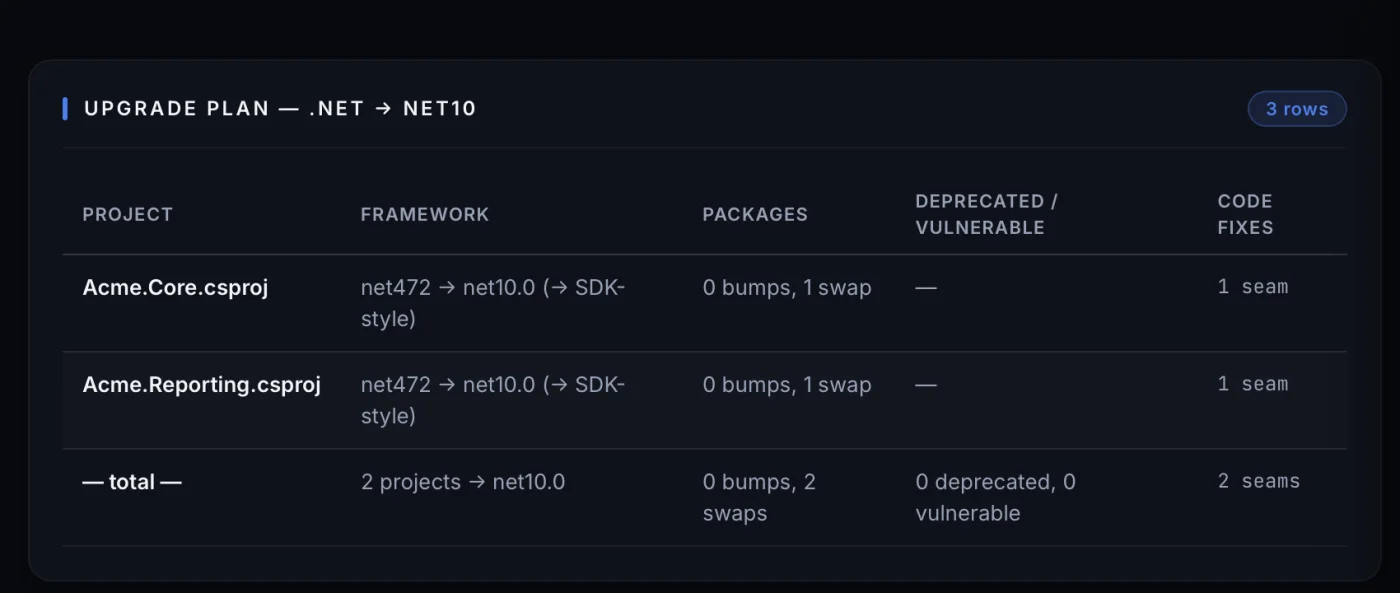
Nothing is applied until you approve this, and the approval says what it covers: "Apply this plan across 2 tasks? Each change is compiled and committed before the next."
The report at the end
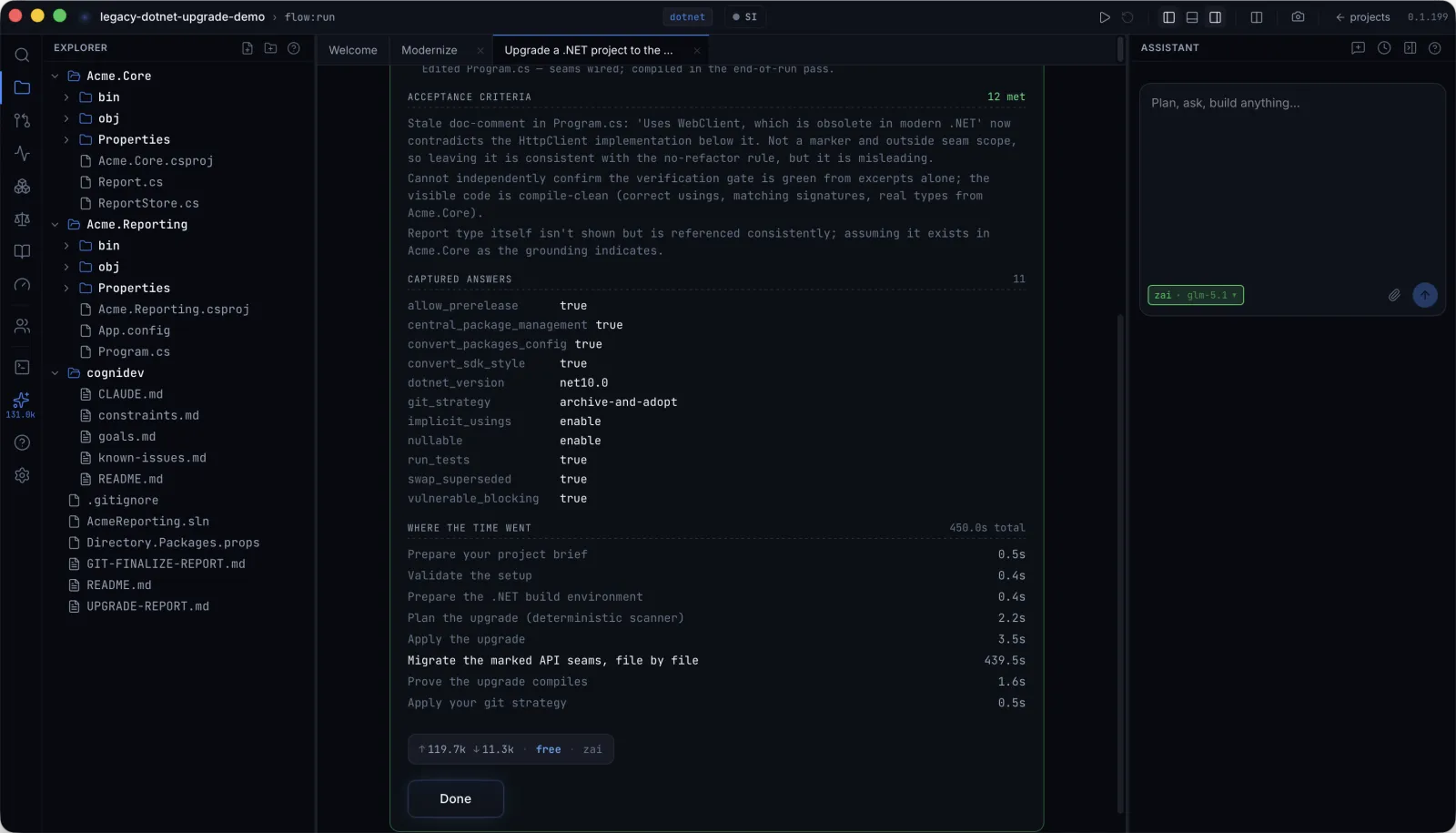
Three things on that screen are worth pointing at.
- Twelve checks passed, and the ones it could not confirm say so. "Cannot independently confirm the verification gate is green from excerpts alone" is written into the report rather than rounded up to a pass.
- Your answers are listed back as the values actually used:
dotnet_version net10.0,git_strategy archive-and-adopt,nullable enable, and the rest. Months later you can still see what produced this result. - Where the time went. 450 seconds in total, 439.5 of them in one step, migrating the marked API seams file by file. The other seven steps took nine seconds between them.
Splitting a monolith into services
A .NET healthcare monolith becomes six services. Every screen, in order.
It reads the code first
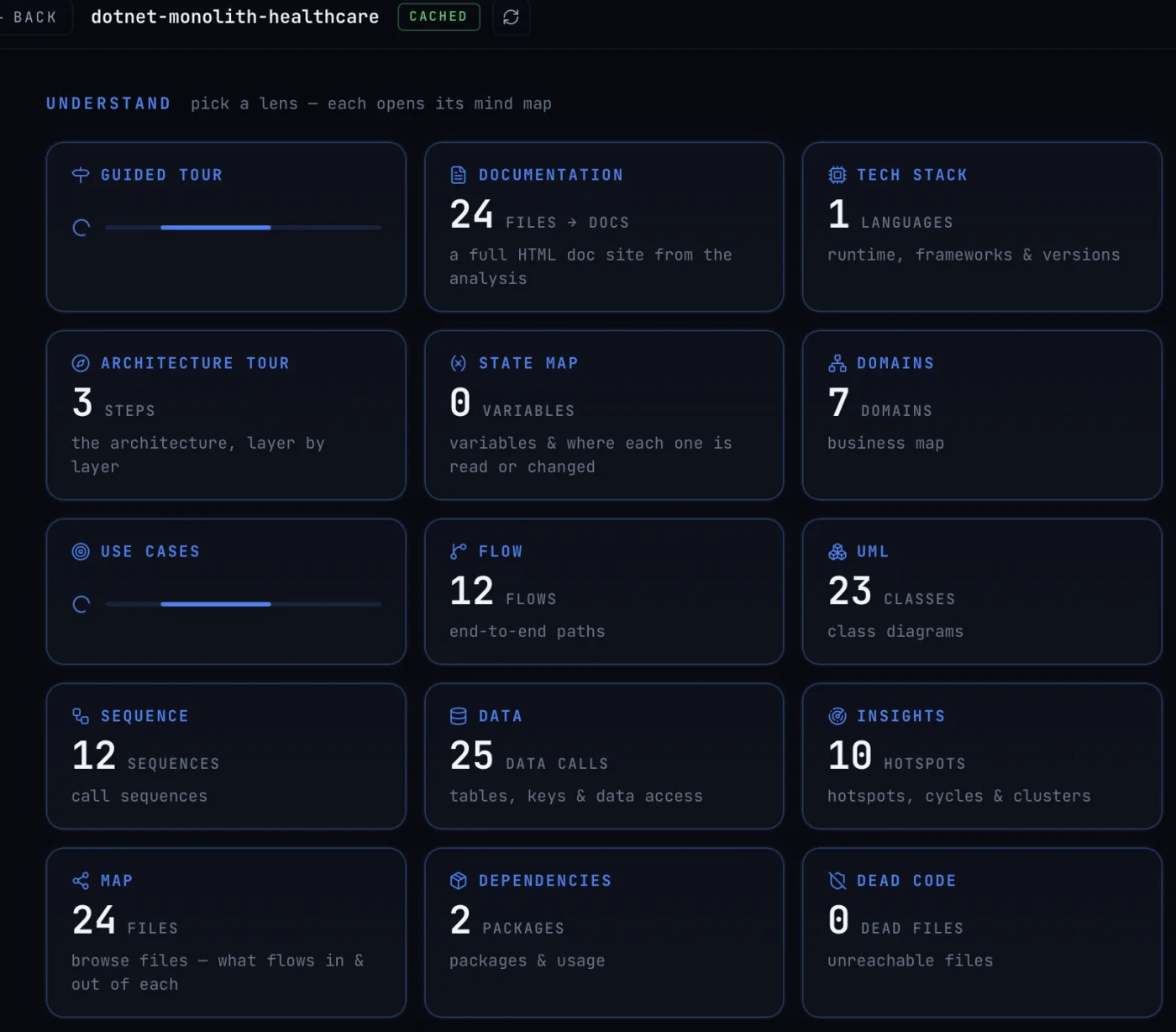
Every later step works from this. It is why the plan can name specific files instead of describing them in general terms.
The brief
Where the work lands
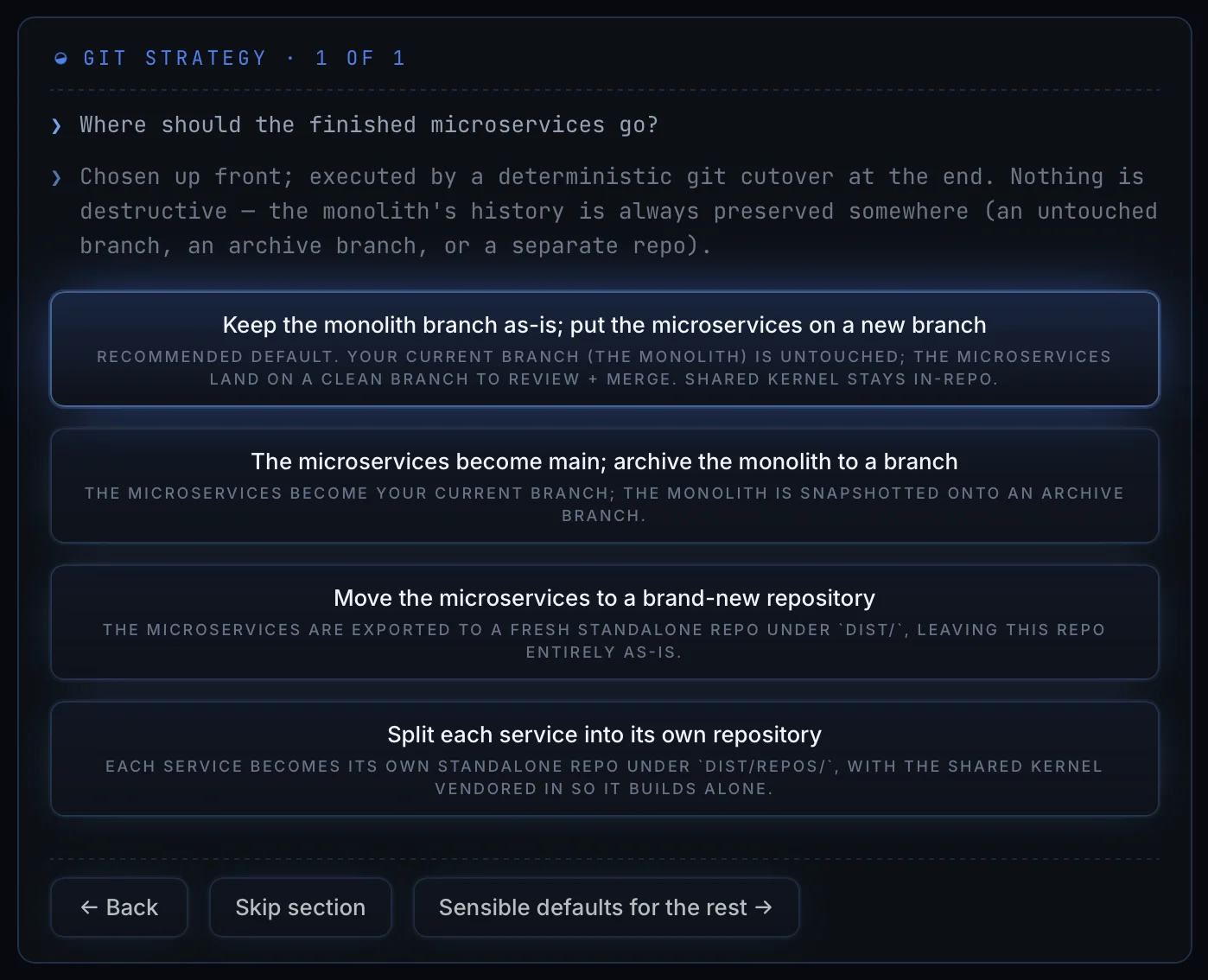
The monolith branch stays untouched and the services go to a new branch. The services become main and the monolith is archived. Everything moves to one new repository. Or every service gets a repository of its own.
Why you are splitting
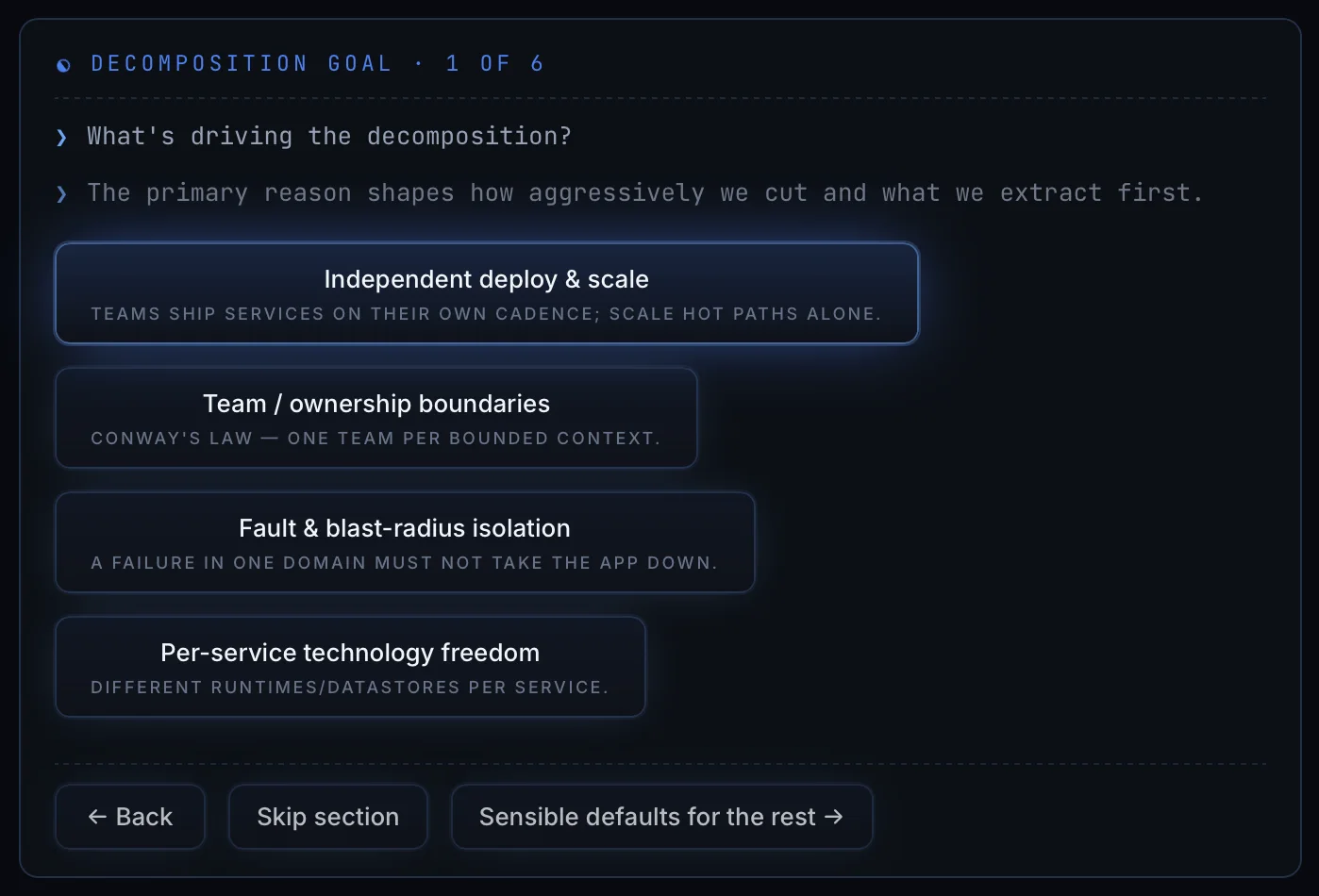
Splitting so teams can deploy independently produces different boundaries from splitting so one failure cannot take down the rest. The run asks rather than assuming.
How to draw the boundaries
How to cut over
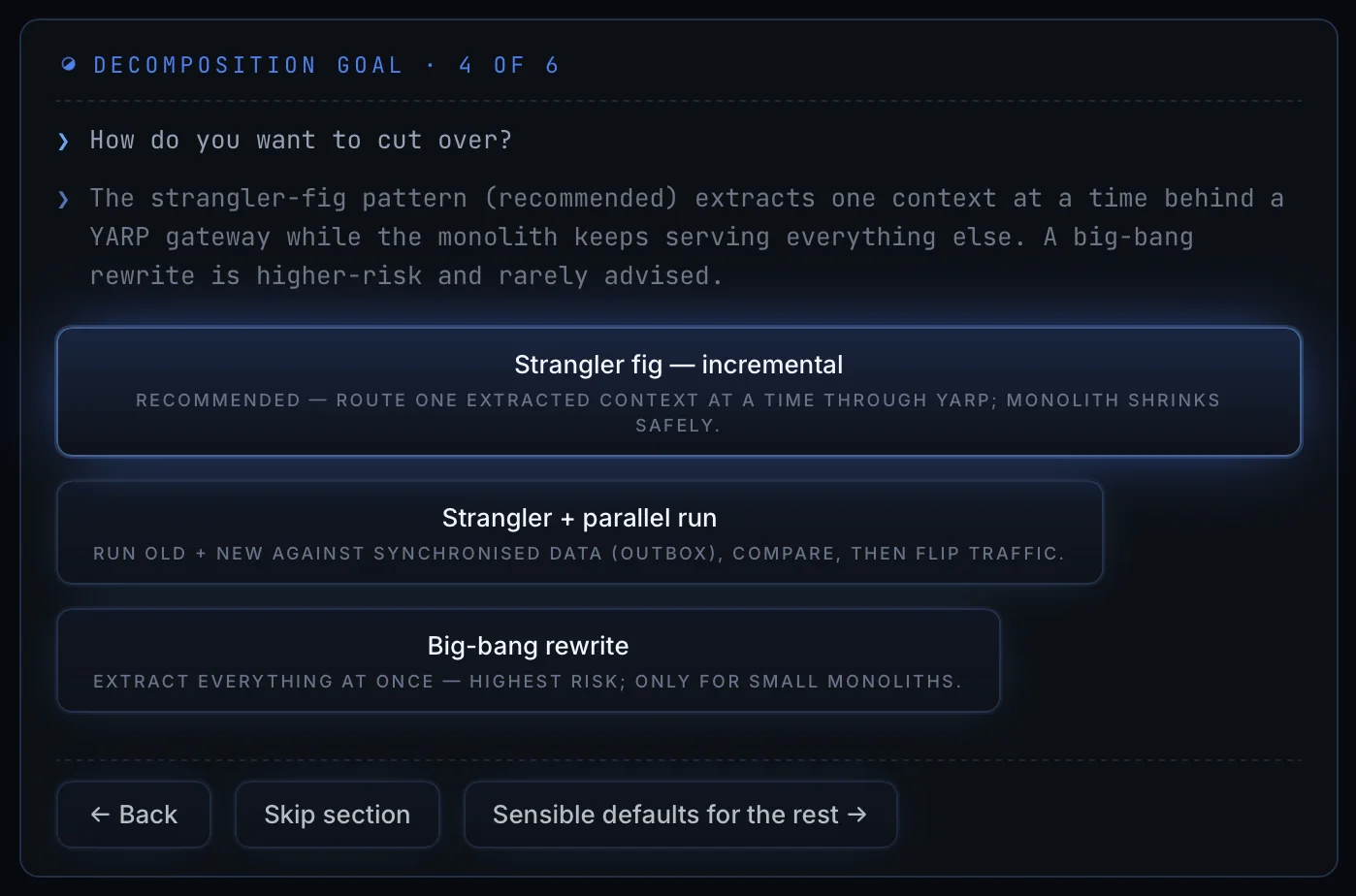
Parallel run and big-bang are both available, with their risk written down rather than implied.
You approve the context
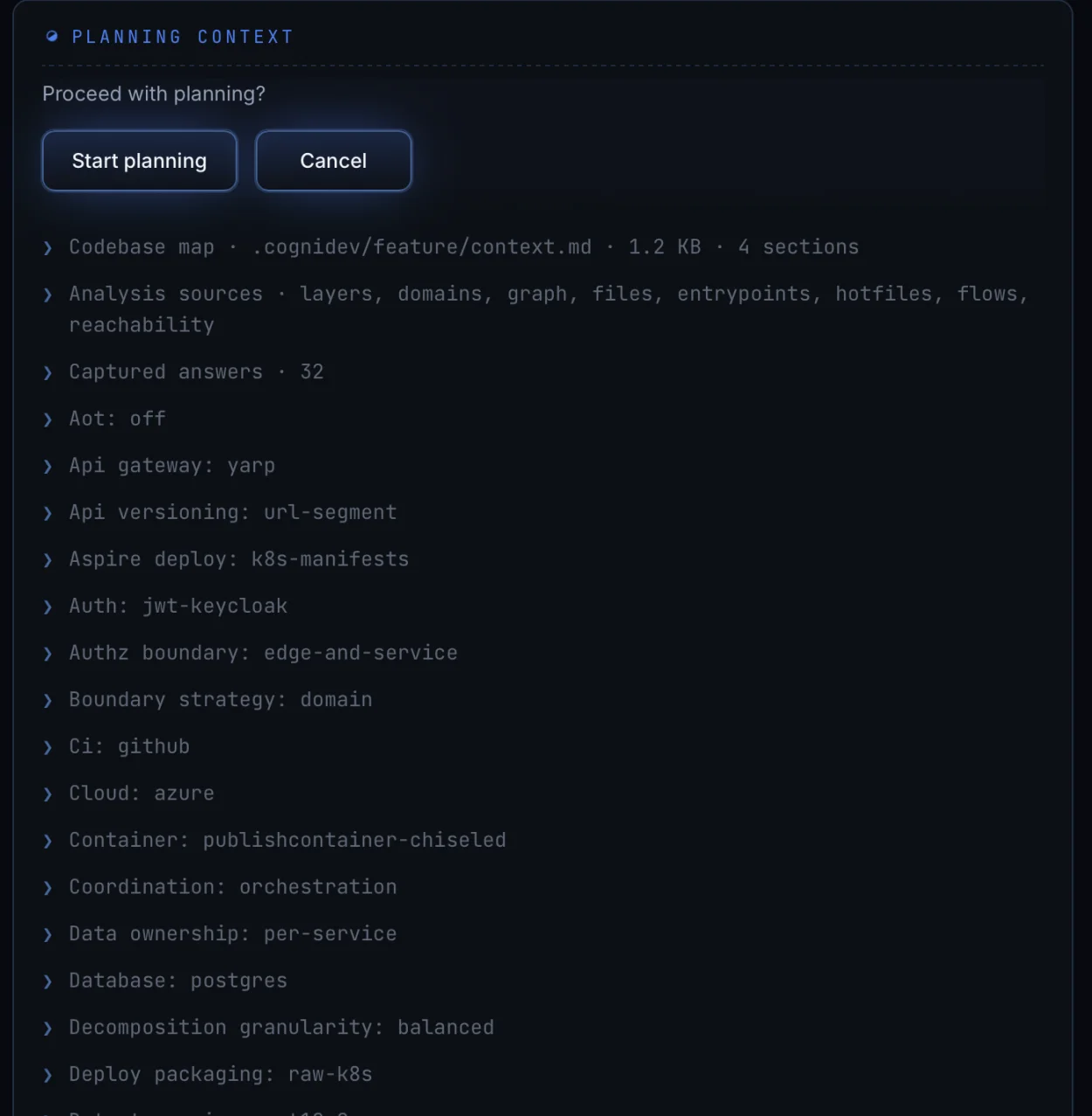
Azure. .NET 10. A database per service. Postgres. JWT through Keycloak. GitHub CI. Kubernetes manifests. Everything the plan will be built on, in one place, before the plan exists.
You approve the map
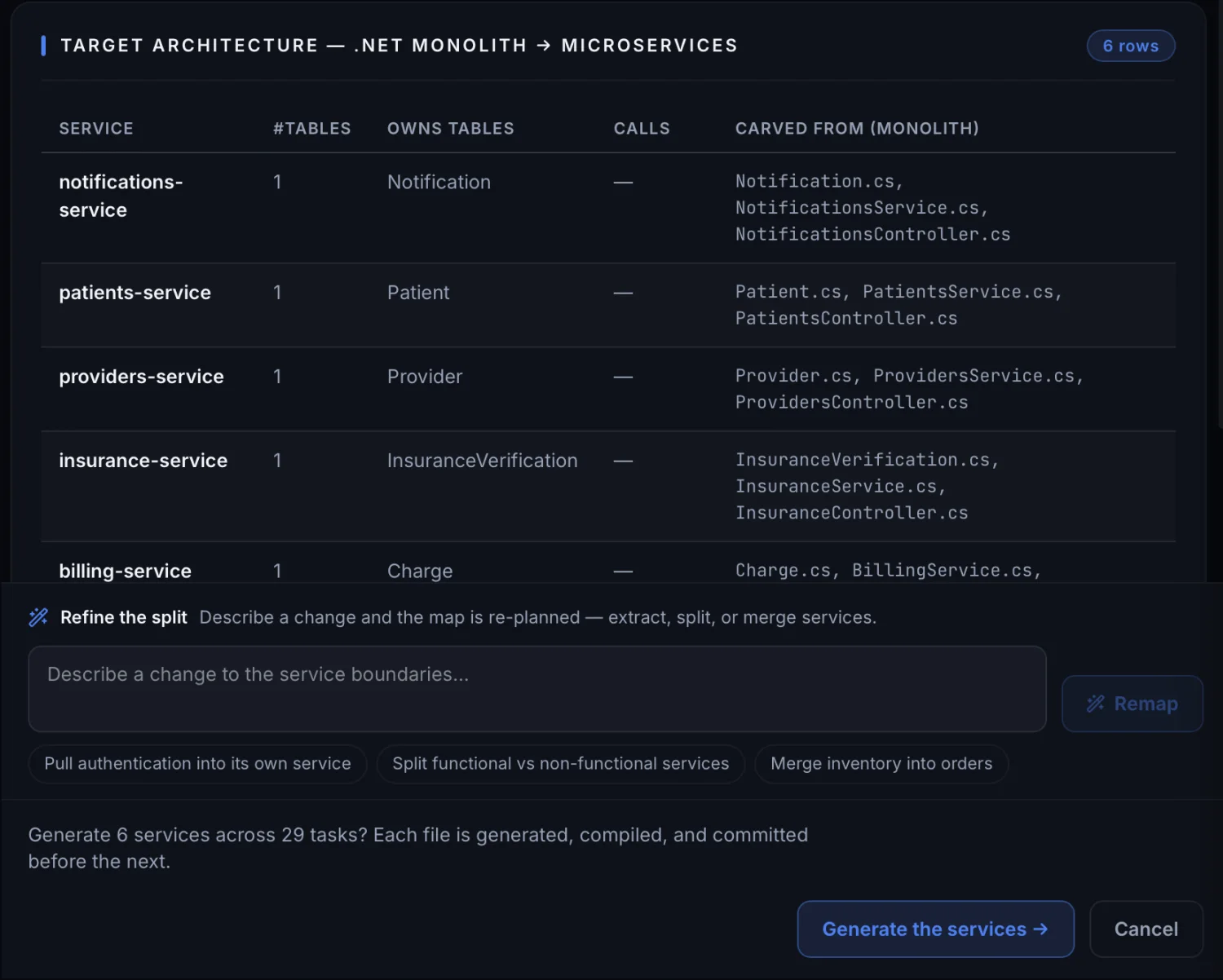
Under the table, Refine the split takes a change in plain English and re-plans the map. Its own examples are "pull authentication into its own service", "split functional vs non-functional services", "merge inventory into orders". The gate states the whole commitment in one sentence: "Generate 6 services across 29 tasks? Each file is generated, compiled, and committed before the next."
This is the part that matters. The map is the decision and the code follows from it. Getting the boundaries wrong is expensive to undo once the code exists, and free to fix on this screen.
It runs, task by task
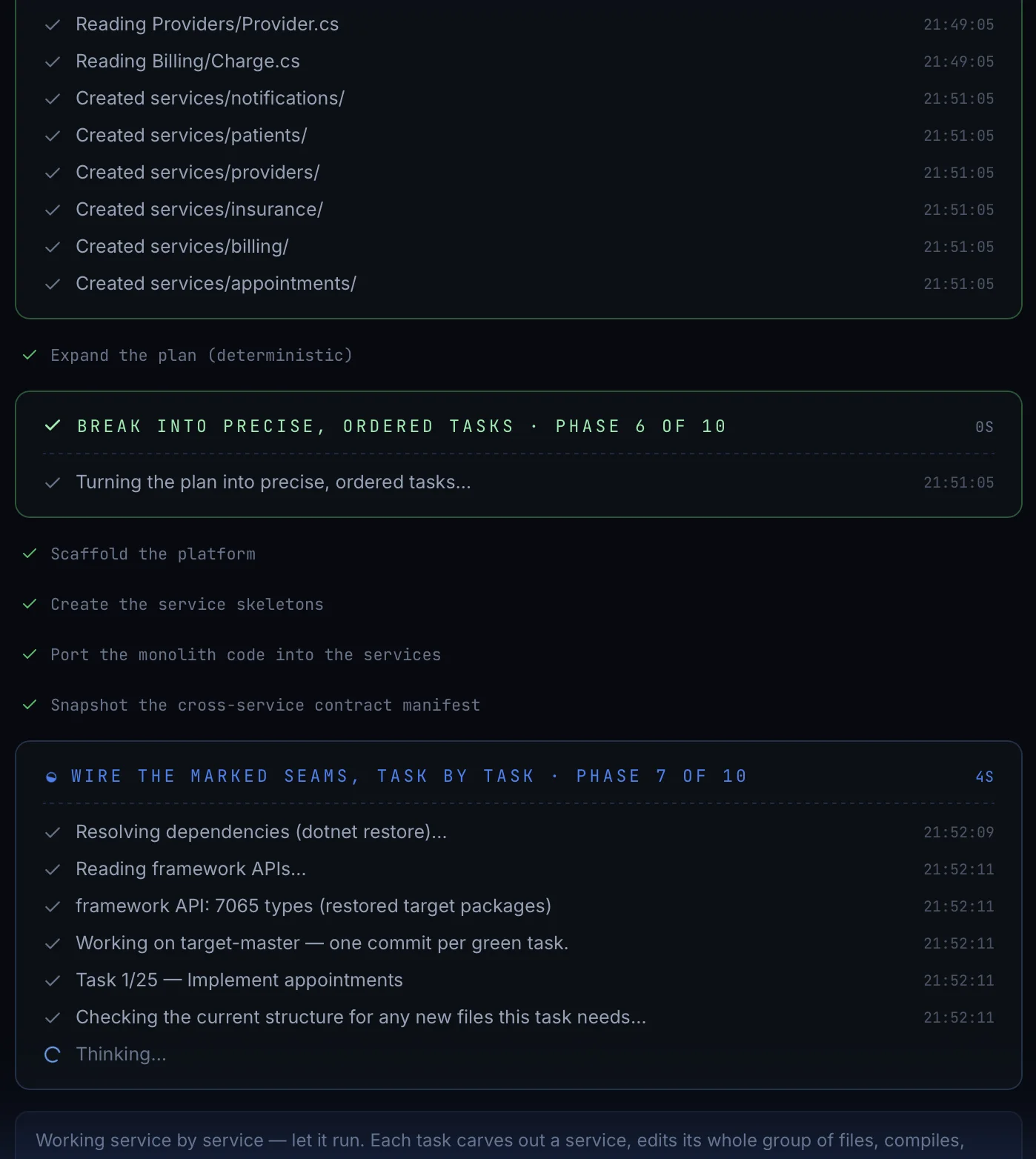
"Working on target-master — one commit per green task." Each task takes one service, edits its whole group of files, compiles once, then refines. A task that fails does not take the rest with it, and you can close the app and resume from the welcome screen.
Every service gets its deployment files
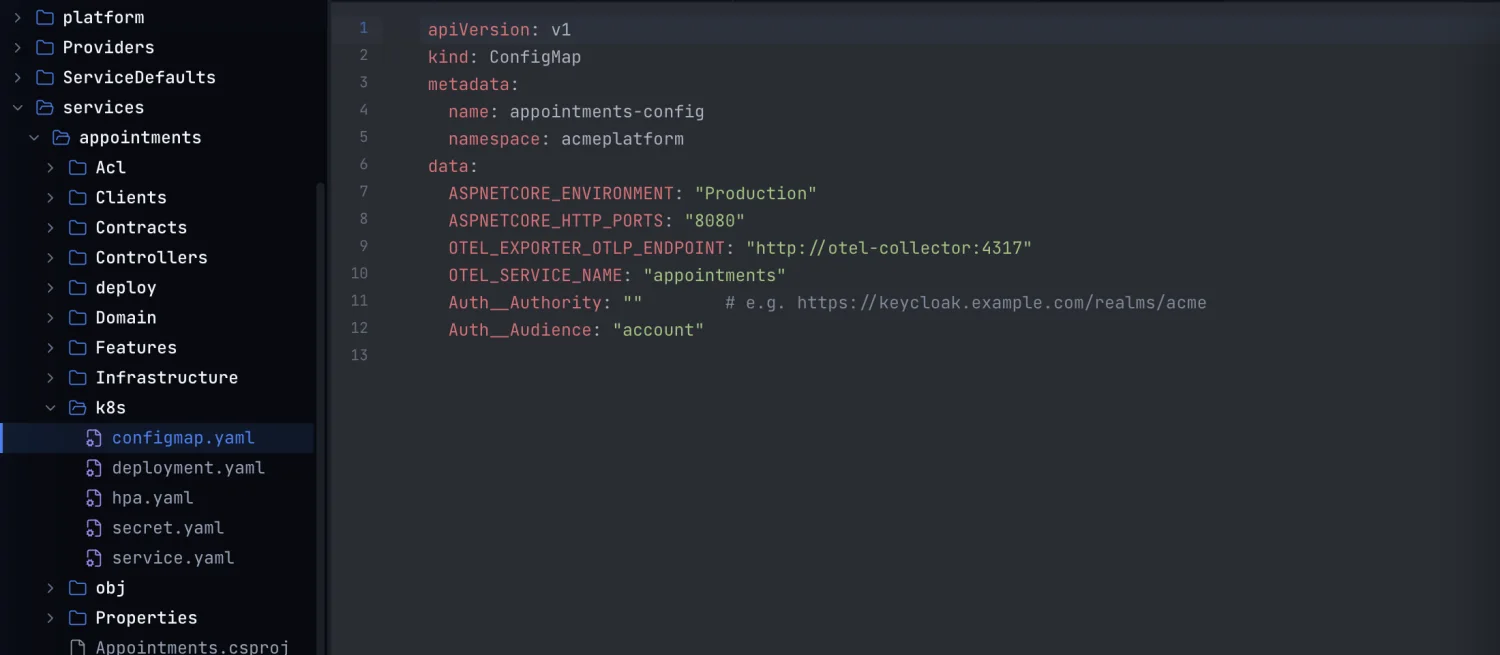
Each service gets its own config map, deployment, autoscaler, secret and service manifests, built from the environment, authentication and telemetry answers you gave earlier. The values are real: the OTLP endpoint, the service name, the Keycloak authority.
What you end up with
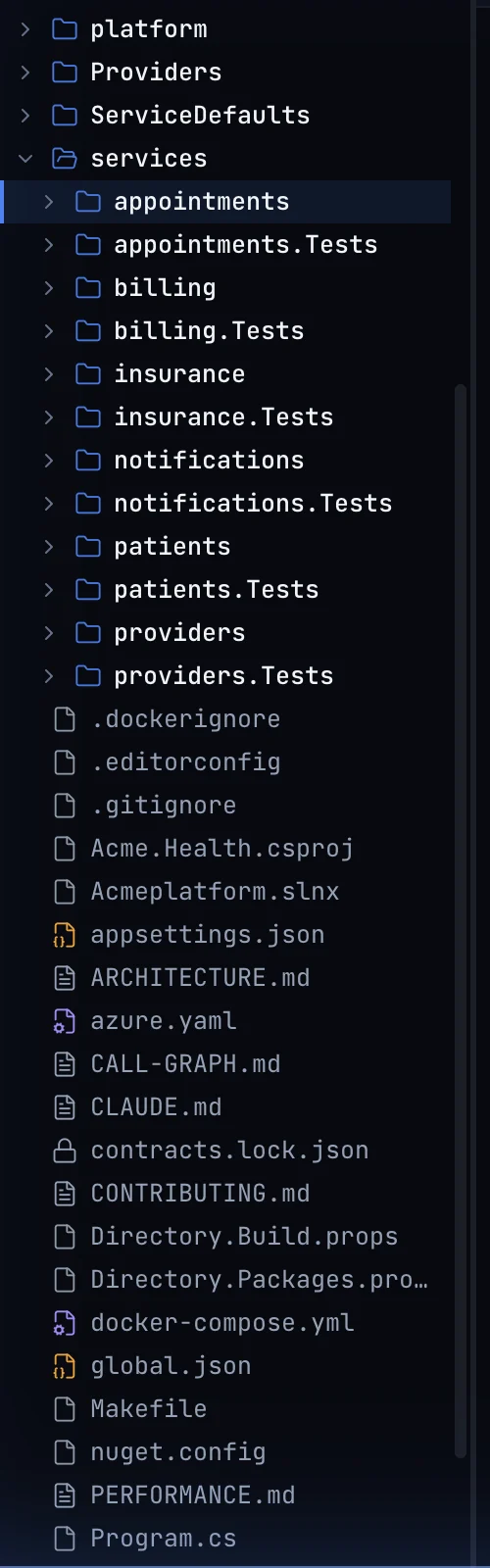
It reads its own output
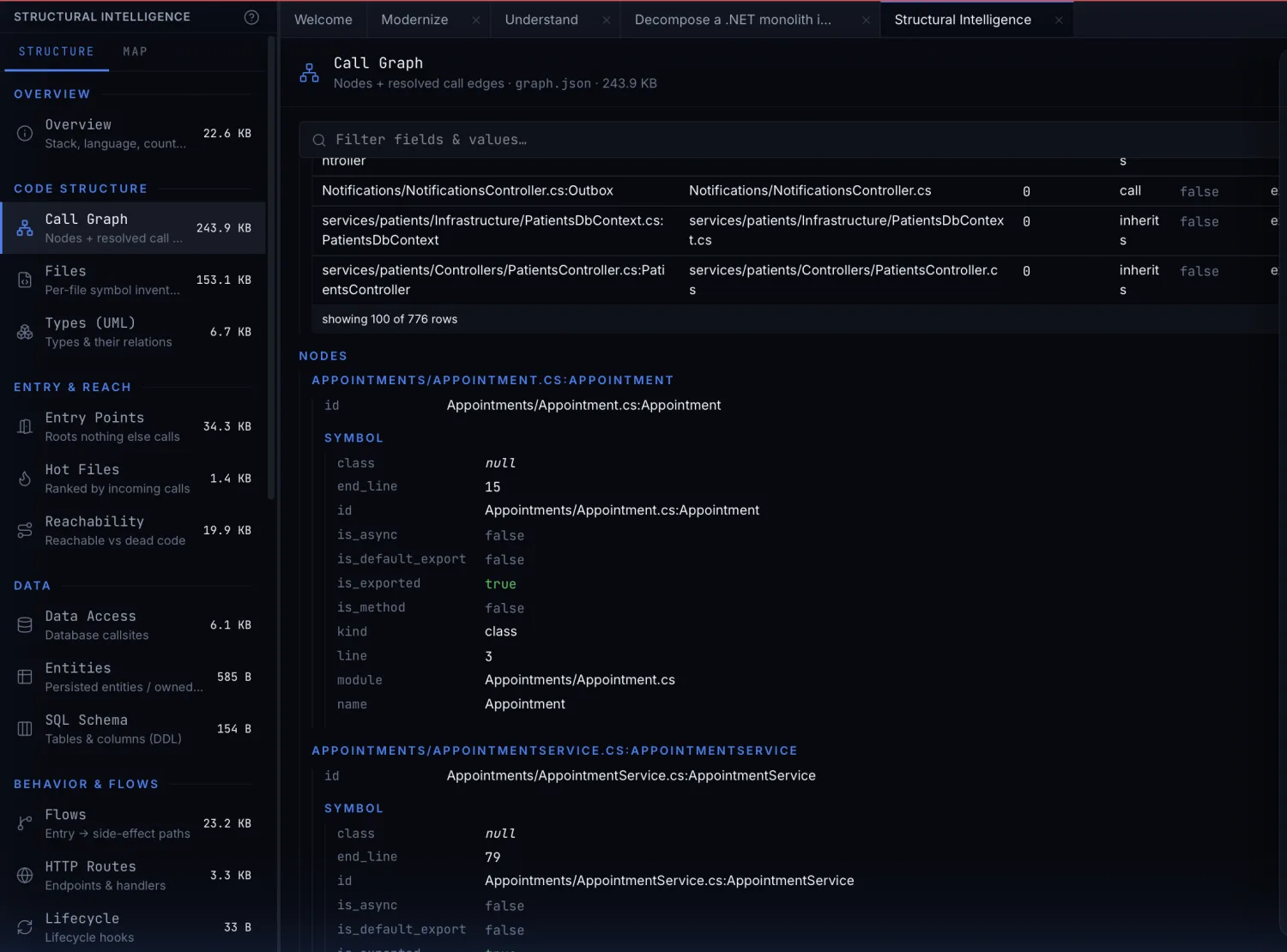
The output is reviewed exactly the way the original codebase was, using the same screens.
Watch the whole runBuilding an application from a description
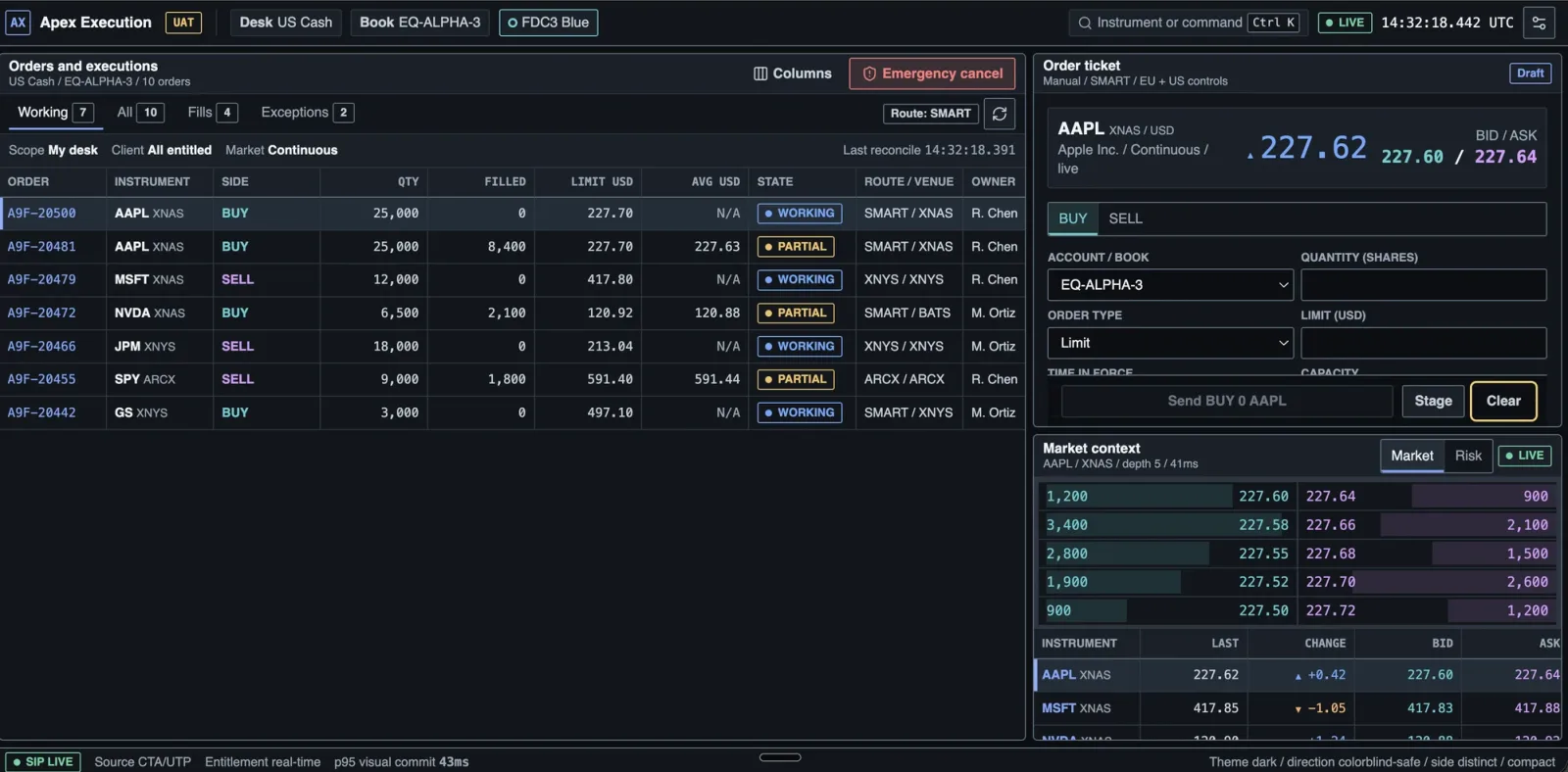
This run starts with nothing but a description of what you want. No repository, no scaffold, no template to fill in. Here it builds an equities trading desk.
Your description becomes a spec
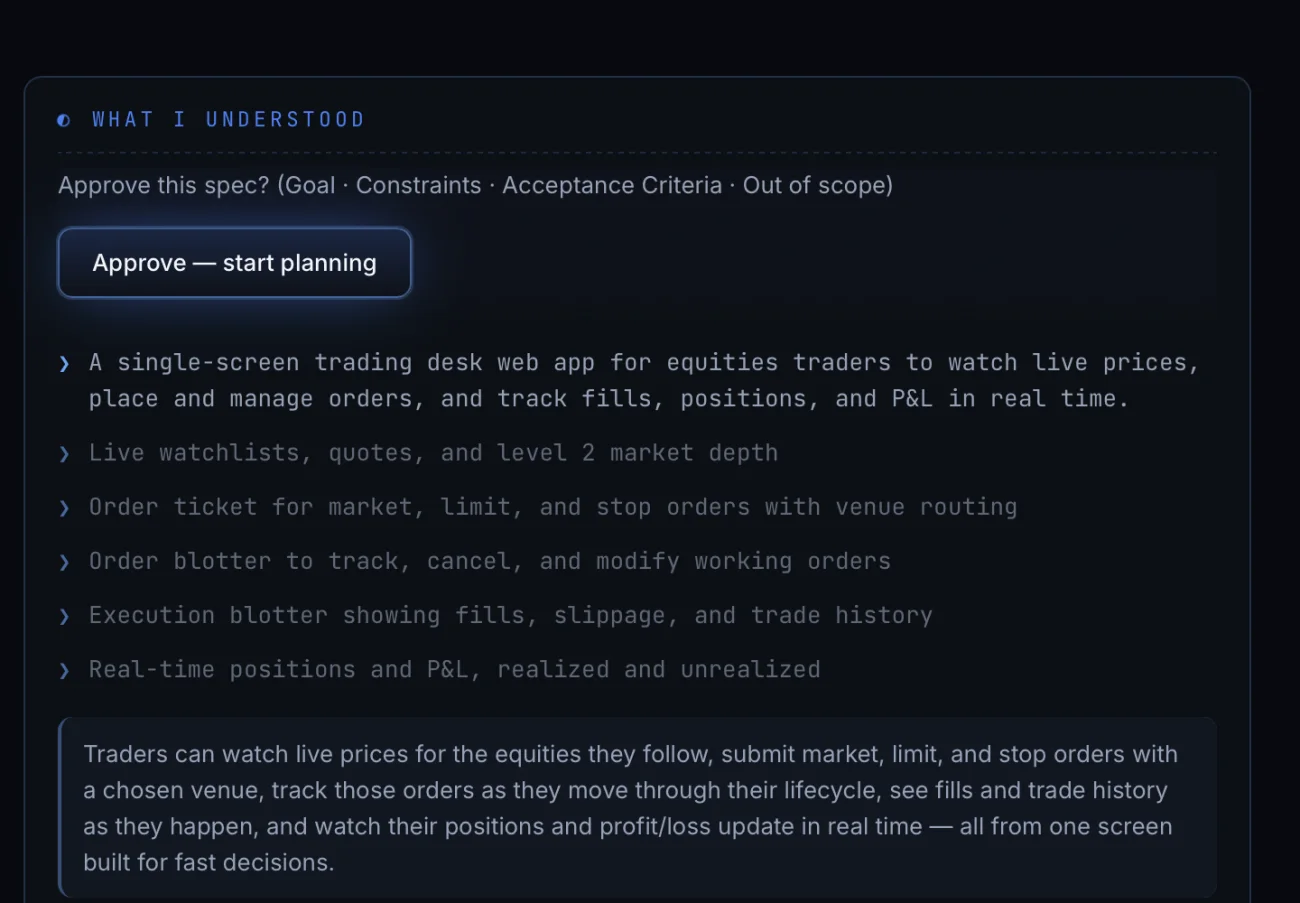
The card is headed What I understood. Out of scope earns its place: a goal with nothing ruled out cannot be checked at the end, and it cannot stop the run from growing. The button says what approving means: Approve — start planning.
Which areas of the desk are in scope
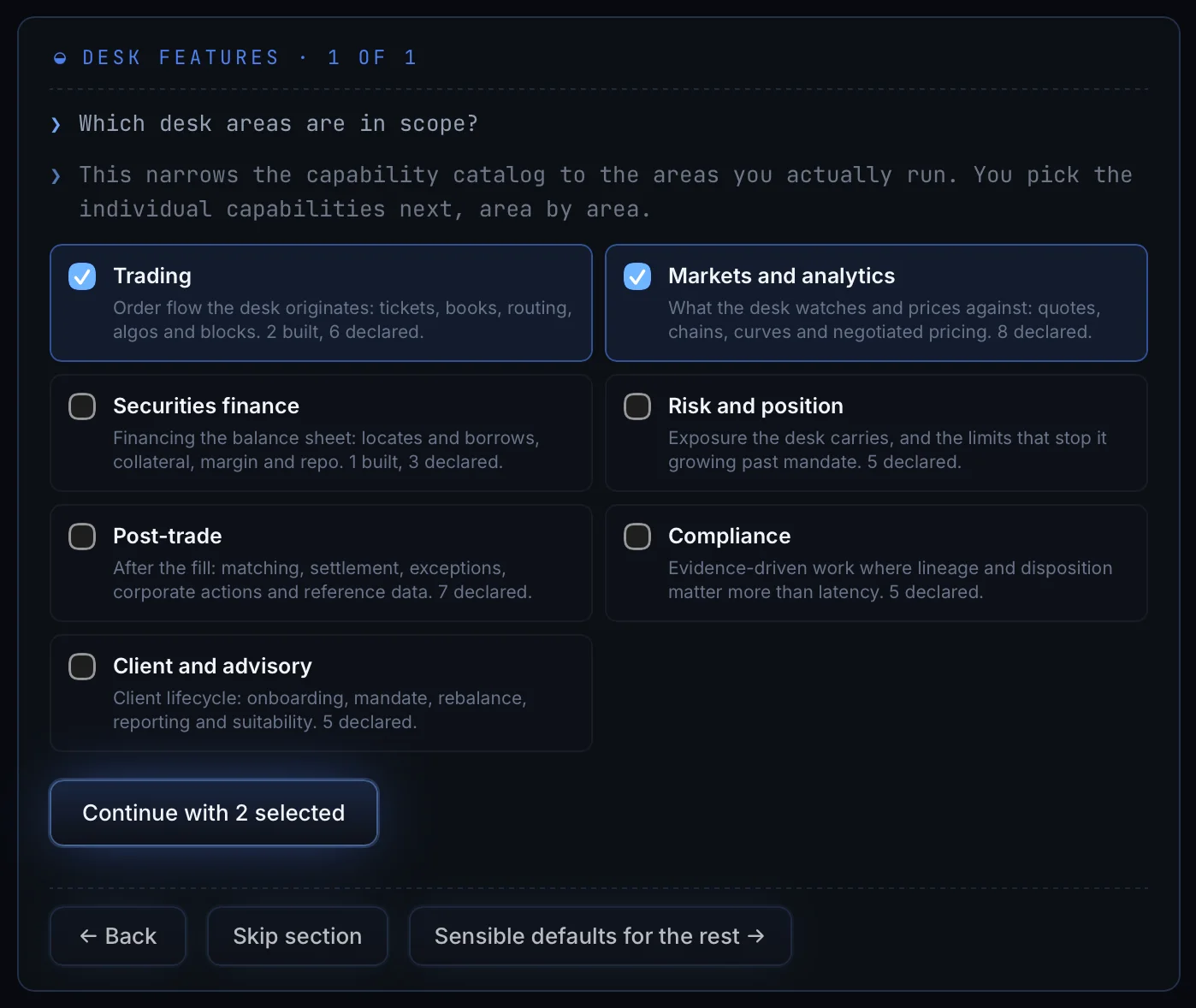
Trading and Markets and analytics are picked here. Securities finance, Risk and position, Post-trade, Compliance and Client and advisory are left out. Each area tells you the split before you choose: Trading is "2 built, 6 declared".
Which capabilities inside them
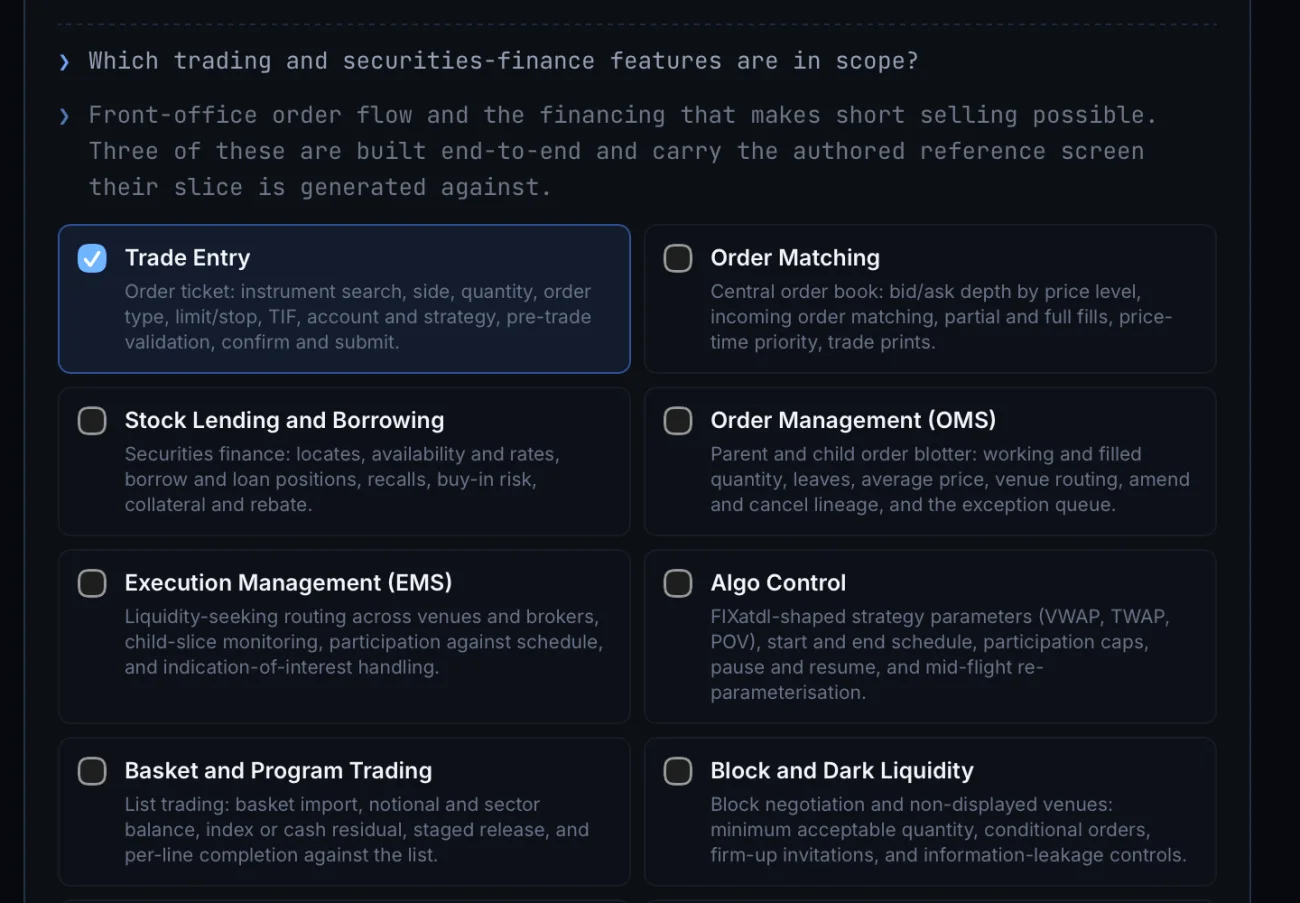
Trade Entry, Order Matching, Stock Lending and Borrowing, Order Management, Execution Management, Algo Control, Basket and Program Trading, Block and Dark Liquidity. Three of them are built end to end in this run, each against a reference screen someone designed. The rest are declared rather than built: still registered in the application and marked as declared, so anyone opening the result later can tell what is real.
Which theme
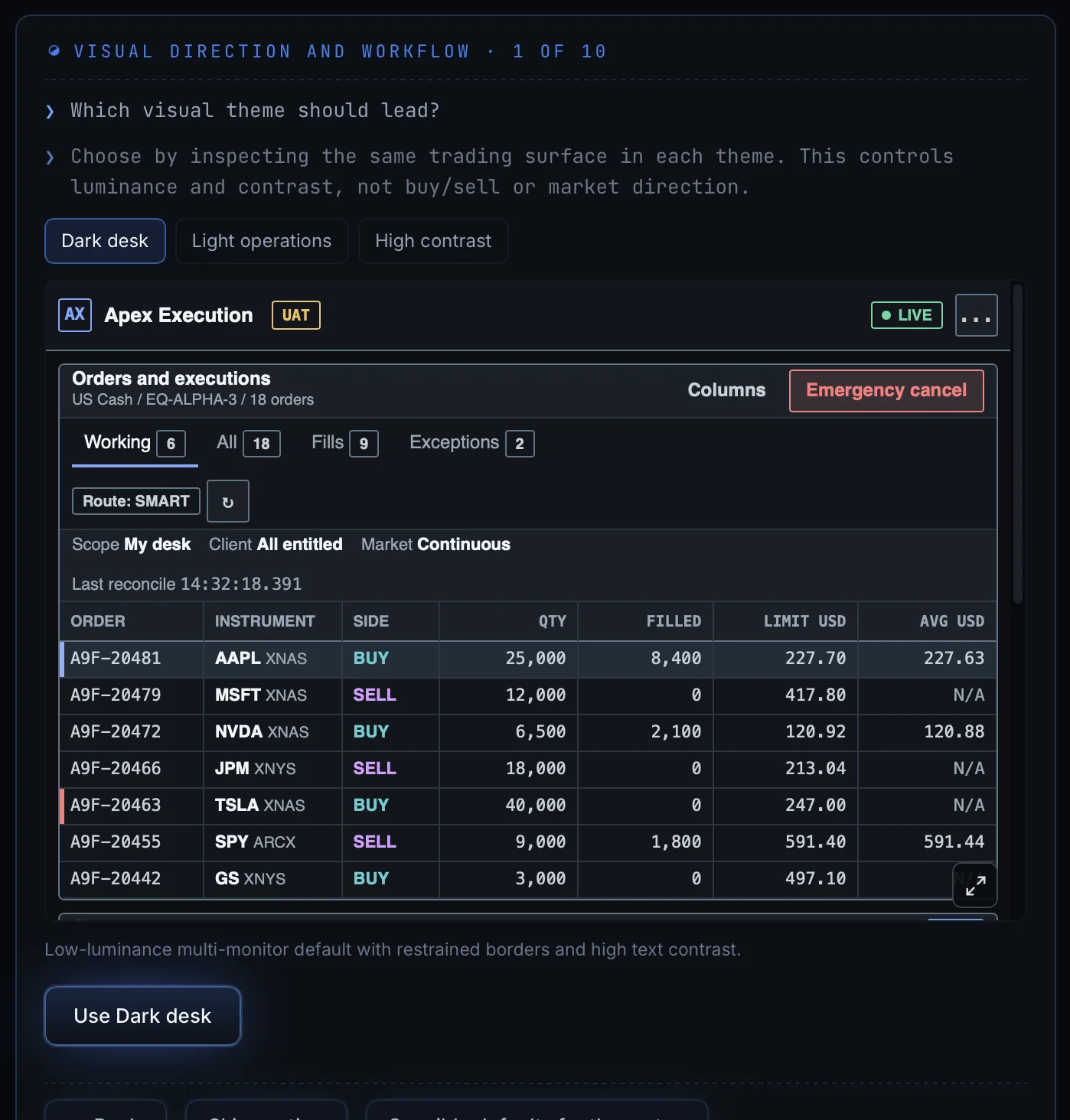
Dark desk, light operations, or high contrast. The choice sets brightness and contrast only. It does not decide buy and sell, and it does not decide market direction.
Which way is up
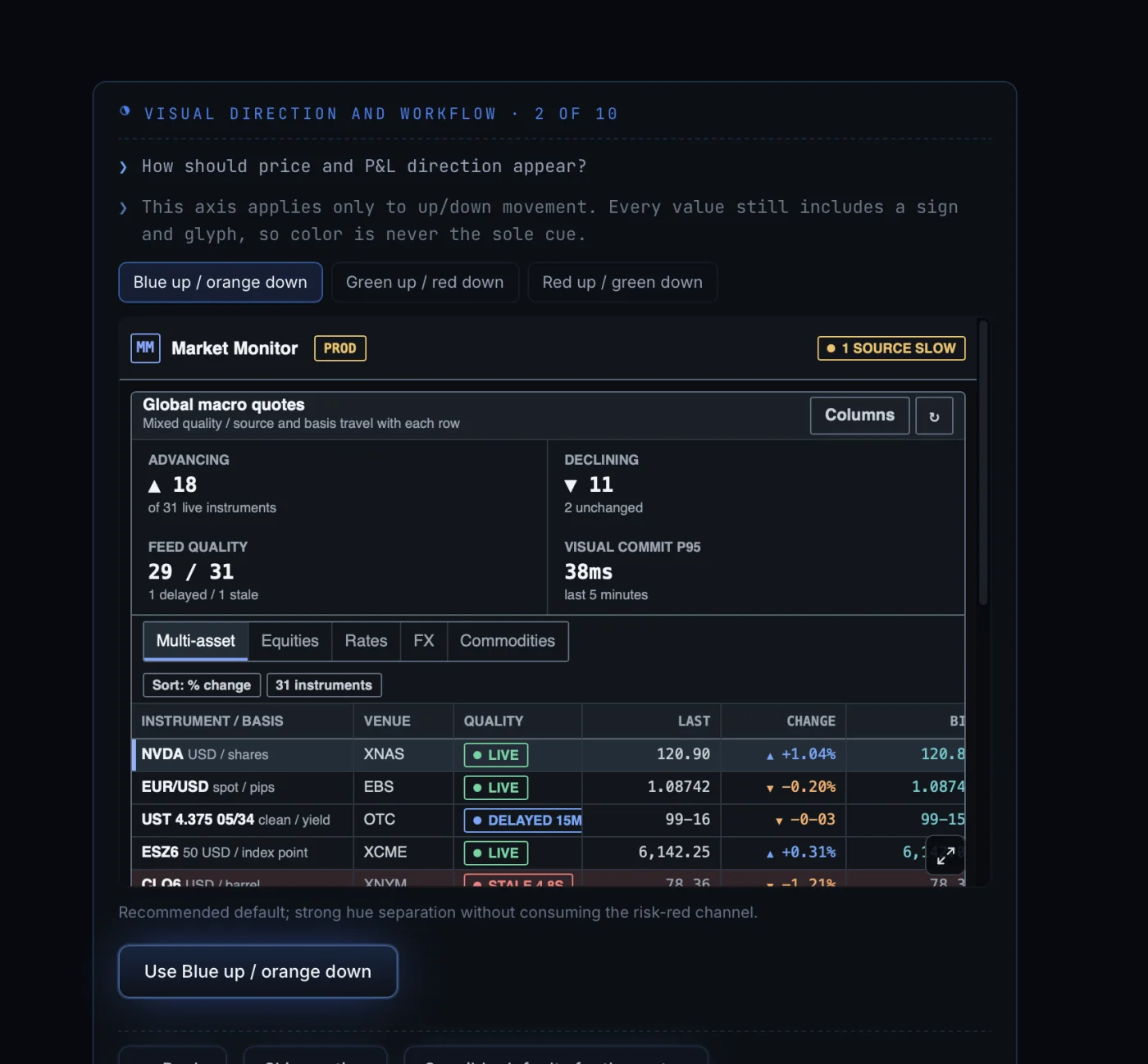
Blue up and orange down is the recommended default, because it separates the two directions strongly without using the red that risk needs. Green up / red down and red up / green down are both there. Whichever you pick, every value also carries a sign and a glyph, so colour is never the only cue.
Which screen it opens on
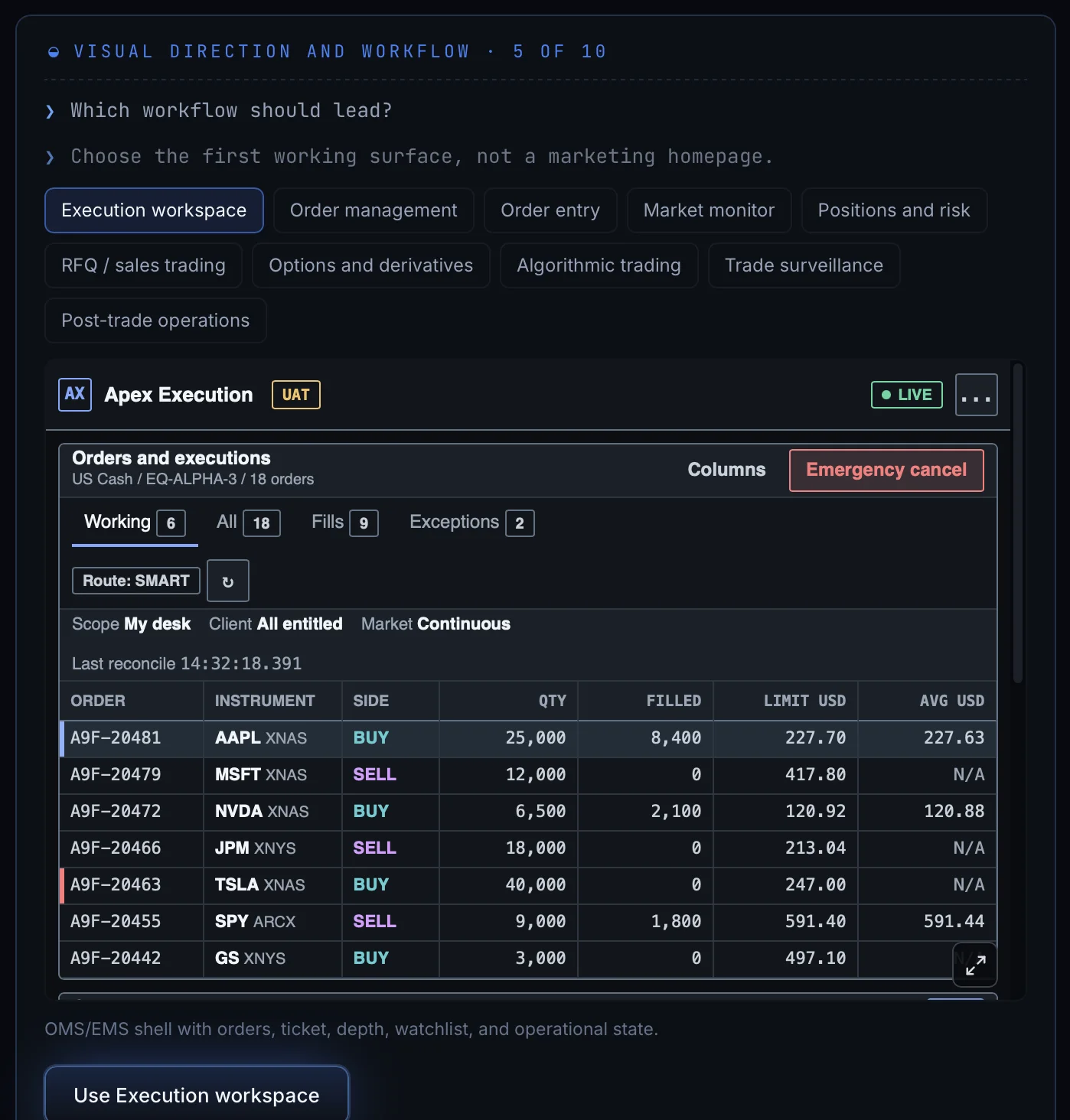
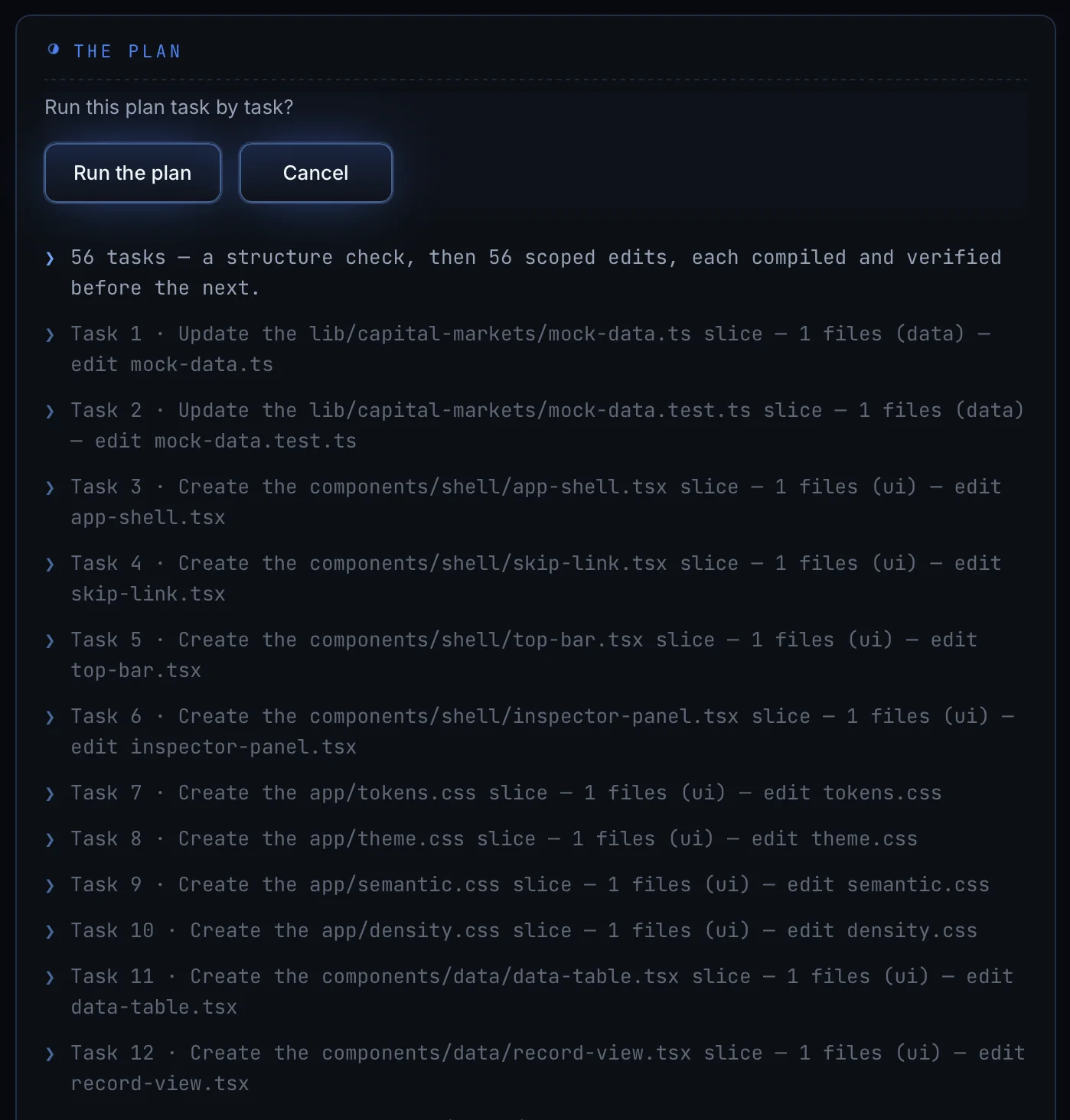
The plan, task by task
It runs as numbered phases
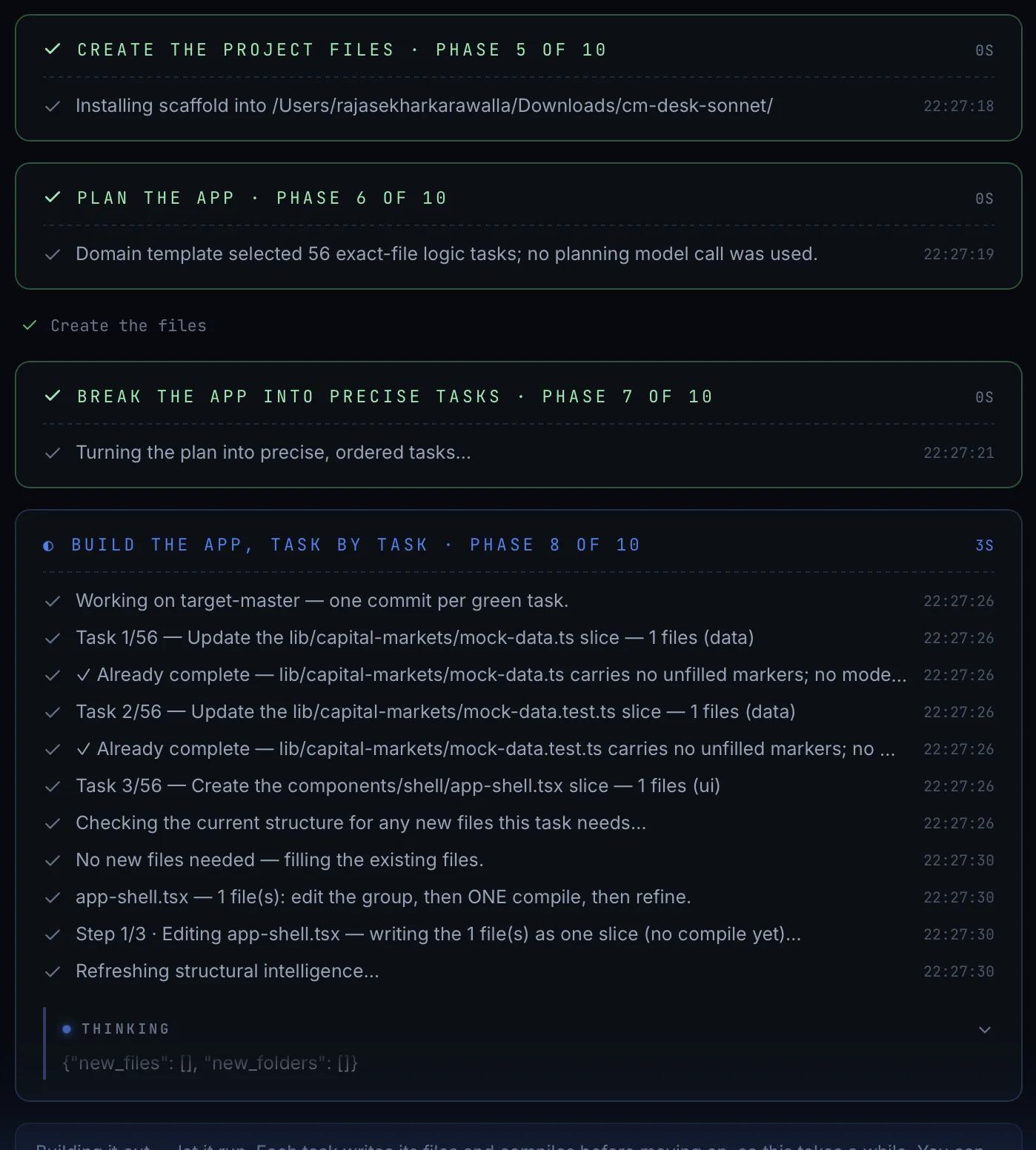
One line here is worth reading twice: "Domain template selected 56 exact-file logic tasks; no planning model call was used." The plan came from a template, not from a model, so it costs nothing and cannot vary between runs.
Building
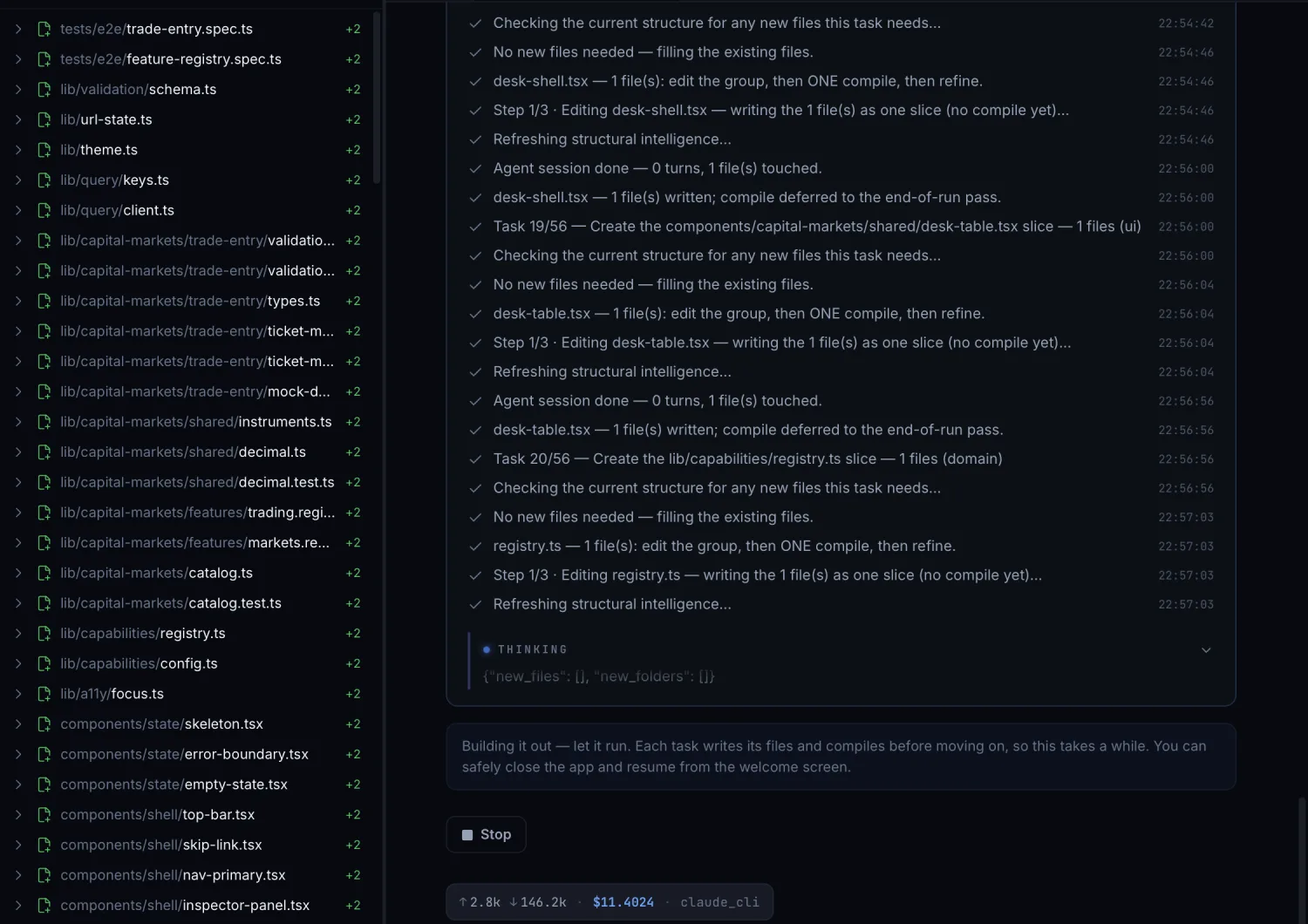
The cost sits at the bottom of the screen the whole time.
The report says what did not happen
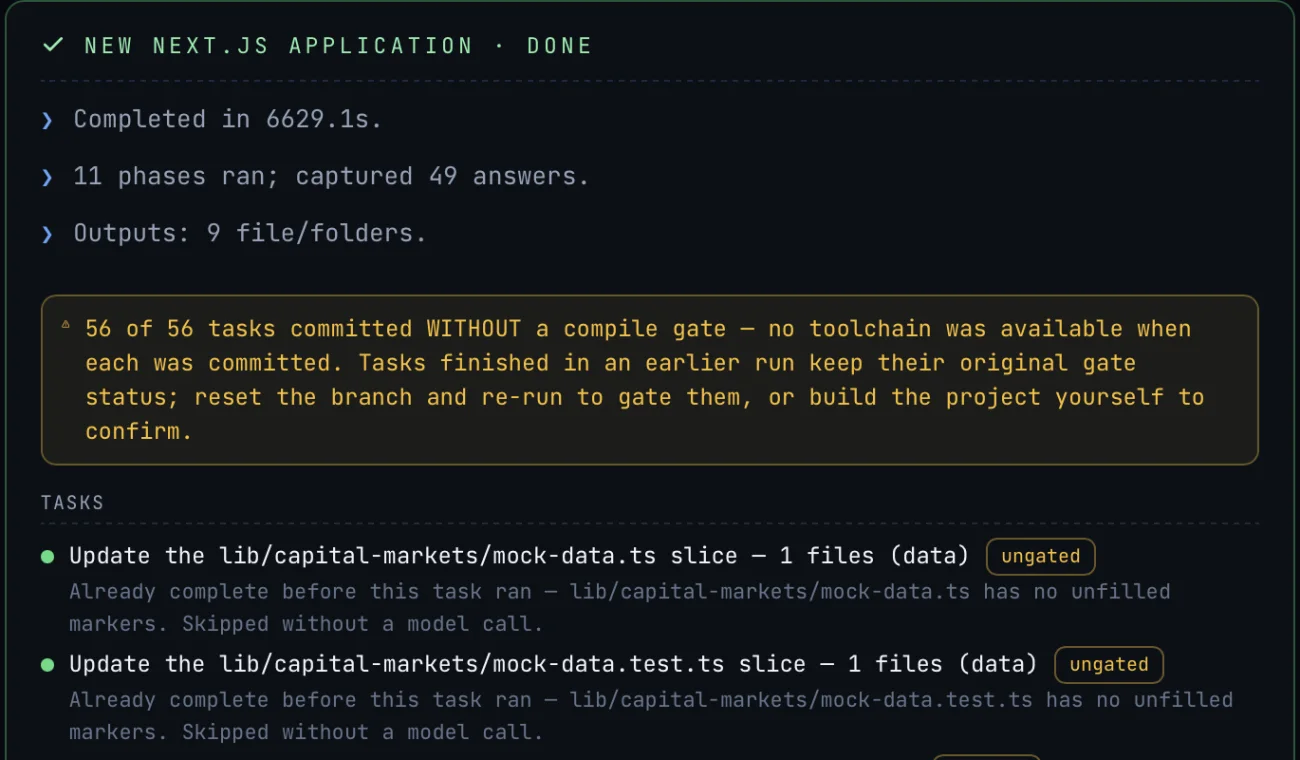
Completed in 6,629 seconds. Eleven phases ran, 49 answers captured. Then, in a box
of its own: 56 of 56 tasks committed without a compile gate, because
there was no toolchain available when each was committed. Every task below it carries
an ungated badge.
The notice also tells you what to do about it. Tasks finished in an earlier run keep their original status, so you either reset the branch and run it again to compile them, or build the project yourself to check. A warning that does not tell you the fix is only half a warning.
The application, running
Why that box matters
An application that compiles and an application that was never compiled look exactly the same in a file listing. Only the report can tell you which one you have, and only if it is willing to say so.