 CogniDev
1 · Getting started
How to get started
The workbench reads a codebase you already have, tells you how it is built, and changes it with your approval. It runs on your machine. This section covers what it is, how to connect a model, and what happens when you open a repository.
What the workbench is
CogniDev Workbench is a desktop app for working on code that already exists. It reads a repository and tells you how it is built. It answers questions about it and gives you a file and a line number with the answer. It scores the code against production-readiness checks. And it runs multi-step changes against it, stopping for your approval along the way.
One thing shapes the whole product: it reads the code before it suggests anything. A single pass over the repository runs first, and every screen works from that pass instead of re-reading your source. That is why a plan can name the exact files it will change instead of talking in general terms.
What it is not
It is not a chat window with your code attached. The assistant is one part of it, and most of what the product knows about your repository was worked out without calling a model at all. It is also not a hosted service. The analysis, the indexes and the history stay in your working tree, on your machine.
A rule it holds itself to
Every finding shows the evidence behind it, and anything the analysis could not work out is reported as a gap rather than left out. There is more on both in How a codebase is read.
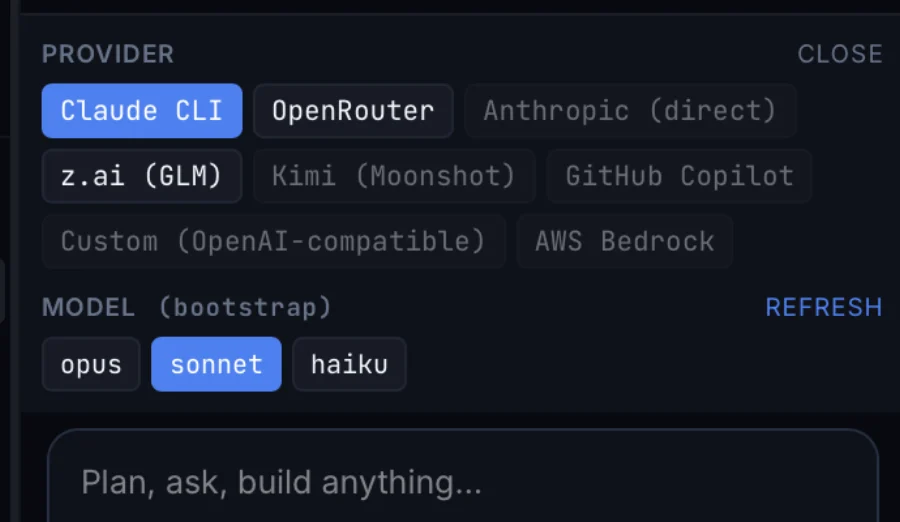
Connect a model
Some of the work needs a model: drafting a plan, describing what a use case does in
plain English, answering a question the analysis cannot answer on its own. You supply
that model. Pick a provider in the assistant panel, or in
Settings ▸ Models.
| Provider | Pick this when |
|---|---|
| Claude CLI | You already have the Claude CLI signed in. There is no separate key to manage. |
| OpenRouter | You want one key that reaches most models. The easiest place to start. |
| Anthropic (direct) | You have an Anthropic API key and want to bill it directly. |
| z.ai (GLM) | You want to use GLM models. |
| Kimi (Moonshot) | You want to use Moonshot models. |
| GitHub Copilot | Your company already pays for Copilot and wants that used. |
| Custom (OpenAI-compatible) | You want any endpoint that speaks the OpenAI API, including one you host yourself. |
| AWS Bedrock | The traffic has to stay inside your own AWS account. |
The last two matter if you work under strict rules about where code can go. If your code cannot leave your account, point the workbench at an endpoint you control.
You choose the model per conversation, not once per installation. The chip under the prompt shows which provider and model will run, so you can send a cheap question to a small model and keep the expensive one for work that needs it.
Open a repository
Point the workbench at a folder. It reads the code before it offers you anything, and what comes back describes the system rather than listing the files.
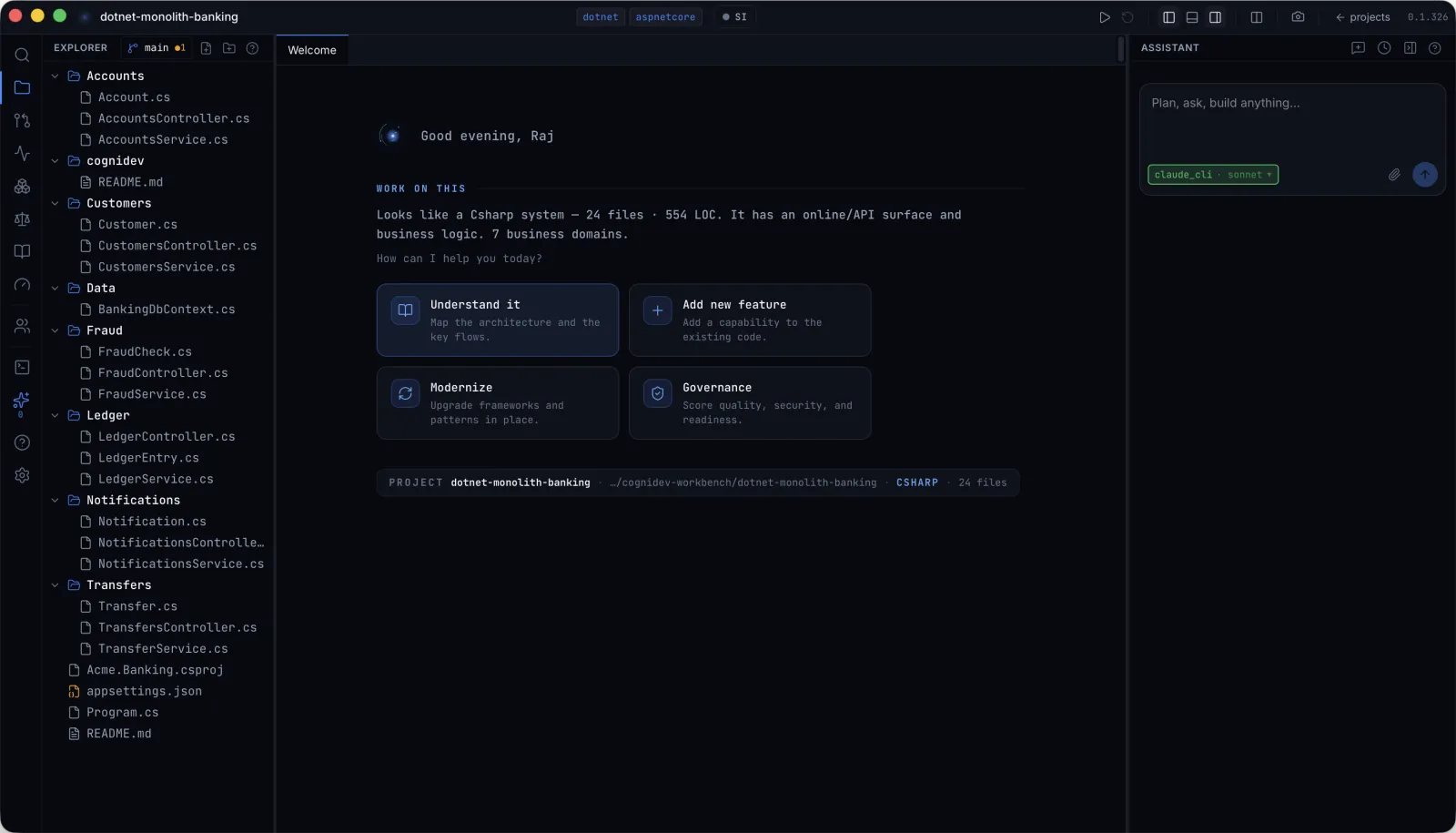
On the repository above it says: a C# system, 24 files, 554 lines, an online API
surface, business logic, seven business domains. None of that needed you to open
anything. The chips at the top of the window (dotnet,
aspnetcore) come from the same pass, and they decide which runs get
offered later on.
What happens, and in what order
- Stack detection finishes first. It gives the repository a name and decides what everything after it sees.
- The full pass runs in the background. The status bar shows how far along it is. You can read and ask questions while it finishes.
- Nothing gets written. Opening a repository only reads it. The
analysis is saved under
.cognidev/in your working tree.
The four intents
The first screen gives you four places to start. You pick the outcome you want instead of picking a tool and working out what to do with it.
| Intent | What it opens |
|---|---|
| Understand it | The views of the analysis, described in How a codebase is read. |
| Add new feature | Your request is turned into a scoped change against the files you already have. |
| Modernize | The runs this repository qualifies for, each showing what triggered it. See Modernization options. |
| Governance | The readiness score: eight groups of checks and one number. See Governance. |
Each one opens in its own tab, so you can keep an analysis open while a run goes on beside it. The assistant stays available the whole time and knows the same repository.
You do not have to do them in order. Governance can be the first thing you do on a repository you have never opened, because the checks it runs read the same pass that everything else reads.